



Skip to content
View in the app

A better way to browse. Learn more.

ZeiGames

A full-screen app on your home screen with push notifications, badges and more.

To install this app on iOS and iPadOS
  1. Tap the Share icon in Safari
  2. Scroll the menu and tap Add to Home Screen.
  3. Tap Add in the top-right corner.
To install this app on Android
  1. Tap the 3-dot menu (⋮) in the top-right corner of the browser.
  2. Tap Add to Home screen or Install app.
  3. Confirm by tapping Install.

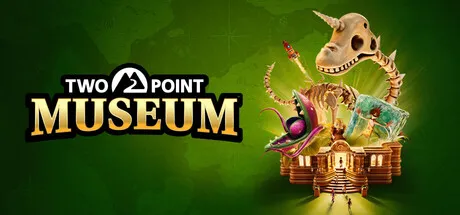
Two Point Museum Free Download (Offline Activation)
Featured Replies

header.webp

Game Details

Release Name: Two Point Museum

Game Version: v8.0 | Build 22389256

Genre: Simulation, Casual, Strategy, Building, City Builder

Publisher: SEGA

Platform: PC

Based On: Anti Denuvo Sanctuary CSF

Download Two Point Museum

Two Point Museum Includes:

  • Design, manage and develop incredible museums

  • 5 unique main museum locations to Two Point County:

- Prehistory - Memento Mile

- Aquarium - Passwater Cove

- Supernatural - Wailon Lodge

- Science - Bungle Wasteland

- Space - Pebberley Heights

  • 3 Pop up museums with set tasks and challenges

  • Sandbox mode to build your very own MEGA MUSEUMS!

  • 6 main exhibit types and 30+ sub categories of exhibits

  • You’ll adventure through 5 different expedition maps with 100+ unique points of interest

  • 200+ unique exhibits to uncover and fill your sticker book

  • 350+ decorative items to make your museum uniquely you

  • 18 guest types to meet and cater for …. including those meddling kids

  • Unlock and manage all the museums in Two Point County!

As fledgling curators, you have the task of designing and refining your very own museums to create the ultimate guest experience. Coordinate Experts on far-flung expeditions to discover new Exhibits, generating Buzz to entice droves of knowledge-hungry guests who will expect top info-tainment if they’re to leave impressed. This is all while you keep your Exhibits safe, rooms clean, staff happy… and children off the dinosaur bones.

As Curator, the design and management of your expanding museum is in your hands! Send your team of partially trained Experts on Expeditions in search of rare and mostly well-preserved artefacts. When (and hopefully not if) your Experts return from their adventure, proudly display their fantastic finds in your museum.

You’ll unlock new locations as you decide where the next adventure takes you.

Your work doesn’t end there; Exhibit maintenance is crucial. While some Experts are gallivanting across Two Point County and beyond, you’re in charge of managing staff back home to ensure Exhibits and the museum stay in tip-top condition. If taking care of the carnivorous Chomper isn’t enough, there are also meddling thieves to watch out for. Thieves, and more frequently, children, are known for touching and grubbing up the displays, so make sure enough security is guarding your prized collection!

Get creative to design your museum layout your way! You have decorative freedom, so design thematic areas to guide your guests’ visit. Splash paint and lay carpet as you lovingly arrange each prehistoric fern, potentially melting iceman, and dinosaur remains wherever you see fit.

Once you’ve created the perfect atmosphere, arrange guided tours with custom routes led by a charismatic Expert. Tours are a fantastic way to enrich your guests' experience. To keep guests enthused, showcase Exhibits with the highest Buzz - those that are top quality, provide ample info and beautiful decorations are likely to attract the most donations!

Guests know best! The different types of guests who will frequent your museum may have different interests, but they do have some things in common… they expect the place to be kept clean, have plenty of refreshments, ample toilets, and a gift shop filled with goodies. And, of course, they need to be dazzled with knowledge of your Exhibits, which are kept well-maintained…

Two Point County will bring a variety of guests to your museum, and they all hope to discover their new favourite Exhibit… From dino fanatics and botany buffs to haunted horror seekers, you’ll need to cater to their personal preferences to meet their needs. By exceeding their expectations, you can keep them engaged, leading to longer visits, increased donations, and glowing reviews!


Screenshots

ss_9e6cbc42294ab41d4ebd29f89ec8796220f92ss_04ea6066192b19166cf7ef0d9c1066cd26589ss_28ae4634881bcc2cecfbfce51af5efe421847ss_fc3903f36c1c6cc278db1222a6a9f337edcb3


Trailer


System Requirements

OS

Windows 10 version 21H1 (build 19043) or newer

Processor

Intel Core i3-8100 or Ryzen 5 1400

Memory

6 GB

Graphics

Nvidia GeForce GT 1030 (2 GB) or AMD Radeon RX 560 (2 GB) or Intel UHD Graphics 630

DirectX

Version 11

Storage

8 GB


Installation Guide

Step 1
  1. Download the Game Files and Join the Discord Server.

  2. Join the Anti-Denuvo Sanctuary Discord server using this link: [Click Here].

Step 2
  • New members will be assigned the Newbie role.

  • Wait for 12 hours, and then you can take the quiz (which becomes available after the 12-hour period) to gain access to the request channels.

Step 3
  • To avoid being banned and to understand how everything works, make sure to read the following channels:

    • #Rules

    • #Guide

    • #F.A.Q.

  • For a list of useful commands, type !help inside the server. This will show you a list of useful commands that you can use. It also includes video tutorials on how activation works and other helpful guides.

Step 4
  • As mentioned in Step 1, download the Steam clean files.

  • If you need additional tools, check the #Resources channel.

  • Important: Always double-check the game version. Using outdated versions can cause issues. Check SteamDB for the latest version.

  • If you’re on Linux, notify the staff to get a role which gives you access to the #Linux-Deck channel. Refer to the #Linux-Guides channel for instructions and consult the team first before submitting a game request.

Step 5

  • Take ONE screenshot showing the following:

    • The contents of the game folder (just the root directory).

    • The Properties of the game folder.

    • Windows Update Blocker (WUB) showing the RED SHIELD.

Step 6
  • Self-Serve : Request games for free here.

  • New-Donator : This category applies only to newly released games. After about 1–2 weeks, those games will move to #Self-Serve, where everyone can access them. Donating is optional and provides early access to new releases.

    • Be sure to carefully read the instructions inside each ticket. There are time limits for each step, so follow through. If you’re unsure, use the “Need Help” button available inside the ticket, and the team will guide you through the process.

🔥DOWNLOAD AREA🔥

🔹4.15 GB🔹

Select a server to download the game.

Rootz | Ranoz | 1fichier | Akirabox | Vikingfile | ALL Links

  • Views 611
  • Created
  • Last Reply

Posted Images

Create an account or sign in to comment

Recently Browsing 0

  • No registered users viewing this page.

Account

Navigation

Search

Search

🔎 Search Tip
For exact results, search using "game name" .
Without quotes, results may include unrelated titles.

Configure browser push notifications

Chrome (Android)
  1. Tap the lock icon next to the address bar.
  2. Tap Permissions → Notifications.
  3. Adjust your preference.
Chrome (Desktop)
  1. Click the padlock icon in the address bar.
  2. Select Site settings.
  3. Find Notifications and adjust your preference.
