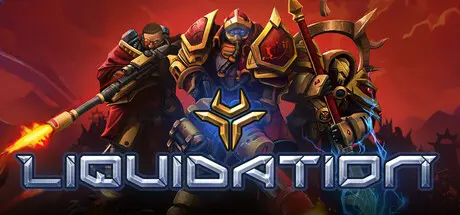
August 16Aug 16 Liquidation Game DetailsRelease Name: LiquidationGame Version: v0.606 | Build 24727726Release Date: 4 Aug, 2026Publisher: MicroProse SoftwareDeveloper: DivioBased On: CSF & GoldbergLiquidation Direct Download - Game OverviewLiquidation is a tactical Real-Time Strategy (RTS) game set in a universe that mixes elements of both fantasy and science fiction, with support for both single-player and multiplayer modes.Our story unfolds on the dying planet of Veá, where a sudden, cataclysmic event, known as the Splintering, wiped out entire species and destroyed thriving civilzations.In its wake, a strange, powerful substance, called Quenrium rose from the depths of the world. Discovery of life-sustaining properties of Quenrium, in a world starved for resources, led a conflict between the Twilight Crusade and the Scourge alliance over its possesion.Thus began the Quenrium War.Liquidation delivers tightly balanced battles where every unit and ability serves a clear, intentional role.The game encourages thoughtful army composition and mid‑sized forces, striking a sweet spot between micro‑level control and macro‑level strategy. This creates a battlefield where smart tactical choices, clever positioning, and well-timed abilities can swing the tide and secure decisive advantages.Liquidation Screenshots Liquidation TrailerLiquidation System RequirementsMinimum RequirementsRecommended RequirementsOSWin 10 (64 bit), Win 11 (64 bit)Win 10 (64 bit), Win 11 (64 bit)ProcessorIntel Core i5 or equivalentIntel Core i5 or betterMemory8 GB RAM16 GB RAMGraphicsNVIDIA® GeForce® GTX 550 or ATI™ Radeon™ HD 6XXX or higherNVIDIA GeForce GTX 770 or AMD R9 280DirectXVersion 9.0Version 9.0Storage8 GB available space8 GB available spaceHow to Install LiquidationNo Installation Needed: The game is pre-installed. Just download and extract.Extract: Right-click the .zip or .rar file and select "Extract Here" or "Extract to folder".Run: Find Liquidation.exe inside the folder and run it.Multiplayer & Online (Optional)Play Online: Download the Online Fix file and apply it to the game folder.Please go to the online fix page and read the guide.Game Data & SettingsChange Language: Edit the file located at steam_settings/Configs.user.iniSave Data Location: %USERPROFILE%/AppData/LocalLow/Liquidation/Liquidation/Important NotesTo support the Game Developer, Get It On Steam.🔥DOWNLOAD AREA🔥🔹2.08 GB🔹Select the server you want to download with ZeiLink.DownloadOnline Fix - (RAR pass: zeigames.com)





Create an account or sign in to comment