



Skip to content
View in the app

A better way to browse. Learn more.

ZeiGames

A full-screen app on your home screen with push notifications, badges and more.

To install this app on iOS and iPadOS
  1. Tap the Share icon in Safari
  2. Scroll the menu and tap Add to Home Screen.
  3. Tap Add in the top-right corner.
To install this app on Android
  1. Tap the 3-dot menu (โ‹ฎ) in the top-right corner of the browser.
  2. Tap Add to Home screen or Install app.
  3. Confirm by tapping Install.

Workers & Resources: Soviet Republic Free Download (v1.1.1.7 + ALL DLC)
Featured Replies

header.webp

Game Details

Release Name:ย Workers & Resources: Soviet Republic

Game Version:ย v1.1.1.7 | Build 22505847

Release Date: 20 Jun, 2024

Publisher: Hooded Horse

Developer: 3Division

Based On:ย CSF & Goldberg

Workers & Resources: Soviet Republic Direct Download - Game Review

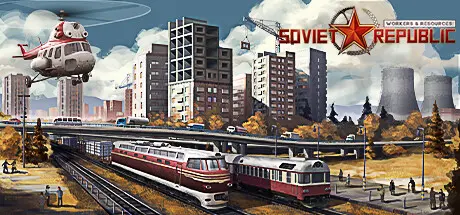
Manage all aspects of your republic in this soviet-themed city builder game. A planned economy puts you in control of everything from mining resources to manufacturing goods and providing services โ€“ use this power to make decisions that impact your citizensโ€™ day-to-day lives and their ultimate loyalty to the nation. Whether itโ€™s construction, transportation, trade, healthcare, education, entertainment, tourism, or any of the countless other facets of a full-fledged city, itโ€™s up to you to determine availability, accessibility, and quality. Contend with a deep simulation of global supply chains as you seek fertile soils, ore veins, and viable lands upon which to build your nation โ€“ let the radio stations sing your praises and the citizens rejoice in their glorious soviet republic.

Multiple complex simulations work together to bring your cities to life in Workers & Resources: Soviet Republic โ€“ whether itโ€™s the price of goods in the global market, the proper distribution of electricity and water, or the increased supply of heat during the winter months, everything can be manipulated with the right actions. Adjust your game settings based on your appetite for complexity in particular areas โ€“ civil engineers, urban planners, economists, and simulation enthusiasts will all be able to experience the mechanics they love.


Game Screenshots

screenshot screenshot screenshot screenshot


Game Trailer


System Requirements

Minimum Requirements

Recommended Requirements

OS

Windowsยฎ 10 (64-bit)

Windowsยฎ 10 (64-bit)

Processor

Intelยฎ Pentiumยฎ G3250 (dual-core) / AMDยฎ FX-Seriesโ„ข FX-9590 (quad-core)

Intelยฎ Coreโ„ข i3-4160 (dual-core) / AMDยฎ Ryzenโ„ข 3 2200G (quad-core)

Memory

6 GB RAM

8 GB RAM

Graphics

NVIDIAยฎ GeForceยฎ GTX 650 (2 GB) / AMDยฎ Radeonโ„ข HD 7770 (2 GB)

NVIDIAยฎ GeForceยฎ GTX 760 (2 GB) / AMDยฎ Radeonโ„ข HD 7870 (2 GB)

DirectX

Version 11

Version 12

Storage

9 GB available space

9 GB available space


Installation Guide

  1. No Installation Needed: The game is pre-installed. Just download and extract.

  2. Extract: Right-click the .zip or .rar file and select "Extract Here" or "Extract to folder".

  3. Run: Find SOVIET64.exe inside the folder and run it.

Game Data & Settings

  • Change Language: Edit the file located at steam_settings/Configs.user.ini

  • Save Data Location: */media_soviet/save_cloud

Important Notes

DLC List

Added DLCs

Workers & Resources: Soviet Republic - Early Start

Workers & Resources: Soviet Republic - World Maps

Workers & Resources: Soviet Republic - Biomes

Workers & Resources: Soviet Republic - Help for Ukraine

๐Ÿ”ฅDOWNLOAD AREA๐Ÿ”ฅ

๐Ÿ”น7.51 GB๐Ÿ”น

Select the server you want to download with ZeiLink.

Download

  • DicDale changed the title to Workers & Resources: Soviet Republic Free Download (v1.1.1.7 + ALL DLC)

  • Views 1.8k
  • Created
  • Last Reply

Posted Images

Create an account or sign in to comment

Recently Browsing 0

  • No registered users viewing this page.

Account

Navigation

Search

Search

๐Ÿ”Ž Search Tip
For exact results, search using "game name" .
Without quotes, results may include unrelated titles.

Configure browser push notifications

Chrome (Android)
  1. Tap the lock icon next to the address bar.
  2. Tap Permissions โ†’ Notifications.
  3. Adjust your preference.
Chrome (Desktop)
  1. Click the padlock icon in the address bar.
  2. Select Site settings.
  3. Find Notifications and adjust your preference.