



Skip to content
View in the app

A better way to browse. Learn more.

ZeiGames

A full-screen app on your home screen with push notifications, badges and more.

To install this app on iOS and iPadOS
  1. Tap the Share icon in Safari
  2. Scroll the menu and tap Add to Home Screen.
  3. Tap Add in the top-right corner.
To install this app on Android
  1. Tap the 3-dot menu (โ‹ฎ) in the top-right corner of the browser.
  2. Tap Add to Home screen or Install app.
  3. Confirm by tapping Install.

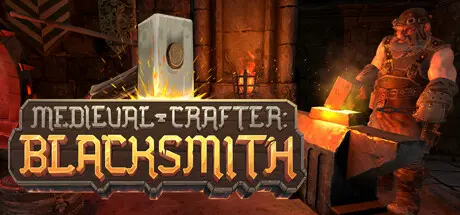
Medieval Crafter: Blacksmith Free Download (v1.0.2)
Featured Replies

header.webp

Game Details

Release Name:ย Medieval Crafter: Blacksmith

Game Version:ย v1.0.2 | Build 22963242

Release Date: 22 Apr, 2026

Publisher: GameDev.ist, Gamersky Games

Developer: Compact Core Games

Based On:ย CSF & Goldberg

Medieval Crafter: Blacksmith Direct Download - Game Review

Dive into the Anvil's Embrace in Medieval Crafter: Blacksmith, where you forge your destiny beneath the mountain's heart.

Become the master of fire and steel in an epic journey of craftsmanship, mining, and creation. Craft legendary weapons, enchant mystical artifacts, arm heroes and send them on epic quests for gold and profit. Will you rise as the ultimate blacksmith of a vibrant fantasy world?

  • Master the Forge: Immerse yourself in the art of blacksmithing, from mining ore to crafting exquisite items. Perfect your skills to create legendary weapons and armor as a Dwarven blacksmith.

  • Diverse Crafting: Craft a wide range of items, from swords and armor to horseshoes and enchanted trinkets. Fulfill orders from an array of unique customers.

  • Explore Ancient Mines: Delve deep into the earth to uncover precious ores and minerals. Upgrade your mine for greater yields and rare discoveries.

  • Enchanting Magic: Harness the power of enchantments using gems and magic parchments. Bestow extraordinary properties upon your creations to make them truly legendary.

  • Time Management: Manage your time efficiently as you juggle mining, crafting, and customer orders. The day-night cycle adds depth and challenge to your decisions.

  • Upgrade Your Workshop: Customize, expand, and upgrade your workshop and living quarters. Create the ultimate blacksmithing haven with unique decorations and tools.

  • Step into a bustling realm filled with stories and surprises. Share drinks at the tavern, enlist brave heroes, and trade tales with shopkeepers.


Game Screenshots

screenshot screenshot screenshot screenshot


Game Trailer


System Requirements

Minimum Requirements

Recommended Requirements

OS

Windows 10 64-Bit

Windows 10 64-Bit

Processor

Intel Core i5-4440 with 3,1 GHz or AMD FX-8150 with 3,6 GHz or higher

Intel Core i7-3820 with 3,6 GHz or AMD FX-8350 with 4,0 GHz or higher

Memory

8 GB RAM

16 GB RAM

Graphics

GeForce GTX 750 Ti (2 GB VRAM) or AMD Radeon RX 460 (2 GB VRAM) or higher

-

DirectX

Version 11

Version 11

Storage

5 GB available space

5 GB available space


Installation Guide

  1. No Installation Needed: The game is pre-installed. Just download and extract.

  2. Extract: Right-click the .zip or .rar file and select "Extract Here" or "Extract to folder".

  3. Run: Find MedievalCrafterBlacksmith.exe inside the folder and run it.

Game Data & Settings

  • Change Language: Edit the file located at steam_settings/Configs.user.ini

Important Notes

๐Ÿ”ฅDOWNLOAD AREA๐Ÿ”ฅ

๐Ÿ”น3.54 GB๐Ÿ”น

Select the server you want to download with ZeiLink.

Download

  • Replies 3
  • Views 2.5k
  • Created
  • Last Reply

Top Posters In This Topic

Posted Images

  • DicDale changed the title to Medieval Crafter: Blacksmith Free Download (v1.0.2)

Create an account or sign in to comment

Recently Browsing 0

  • No registered users viewing this page.

Account

Navigation

Search

Search

๐Ÿ”Ž Search Tip
For exact results, search using "game name" .
Without quotes, results may include unrelated titles.

Configure browser push notifications

Chrome (Android)
  1. Tap the lock icon next to the address bar.
  2. Tap Permissions โ†’ Notifications.
  3. Adjust your preference.
Chrome (Desktop)
  1. Click the padlock icon in the address bar.
  2. Select Site settings.
  3. Find Notifications and adjust your preference.