



Skip to content
View in the app

A better way to browse. Learn more.

ZeiGames

A full-screen app on your home screen with push notifications, badges and more.

To install this app on iOS and iPadOS
  1. Tap the Share icon in Safari
  2. Scroll the menu and tap Add to Home Screen.
  3. Tap Add in the top-right corner.
To install this app on Android
  1. Tap the 3-dot menu (โ‹ฎ) in the top-right corner of the browser.
  2. Tap Add to Home screen or Install app.
  3. Confirm by tapping Install.

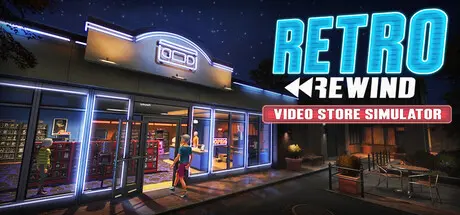
Retro Rewind - Video Store Simulator Free Download (v2301)
Featured Replies

header.webp

Game Details

Release Name:ย Retro Rewind - Video Store Simulator

Game Version:ย v2301 | Build 23860201

Release Date: 17 Mar, 2026

Publisher: Blood Pact Studios

Developer: Blood Pact Studios

Based On:ย CSF & Goldberg

Retro Rewind - Video Store Simulator Direct Download - Game Review

From taking reservations and charging late fees to recommending movies and preparing delicious snacks, thereโ€™s never a dull moment when running your store! Customize your walls and floors, decorate with posters and memorabilia and expand your layout to build the video store of your dreams. Fill your shelves with thousands of unique VHS tapes, each with their own title, genre and hand-drawn cover art!ย Order movies on your old PC or buy exclusive bootleg films from the shady Tape Dealer. Each week will have new releases inspired by real iconic movies of the 80s and early 90s.ย ย 

Additionalย Game Features:

  • Build Your Dream Team: Hire staff to give you a hand on daily tasks to run your store.

  • Manage Your Returns:ย  Add returned movies in the system, rewind tapes and set aside reserved movies for your customers.

  • Charge Late & Broken Fees: Track late and damaged returns and deal with different customer reactions and complaints.

  • Evolving Customer Interactions: Seasons, weather and holidays affect gameplay and what your customers rent! Be ready, rainy Friday nights are crazy busy in the store!

  • Seasons & Festivals: Play through all four seasons as the environment transforms around you. Each season features special holidays and festivals, all brought to life with unique artwork!

  • Share Movies With Your Friends: Every movie can be ordered on your PC with a unique code that you can share with your friends!


Game Screenshots

screenshot screenshot screenshot screenshot


Game Trailer


System Requirements

Minimum Requirements

Recommended Requirements

OS

Windows 11

Windows 11

Processor

Windows 11

Windows 11

Memory

4 GB RAM

8 GB RAM

Graphics

Nvidia GeForce 560 GTX

Nvidia GeForce 1070 GTX

DirectX

Version 11

Version 11

Storage

2 GB available space

2 GB available space


Installation Guide

  1. No Installation Needed: The game is pre-installed. Just download and extract.

  2. Extract: Right-click the .zip or .rar file and select "Extract Here" or "Extract to folder".

  3. Run: Find RetroRewind.exe inside the folder and run it.

Game Data & Settings

  • Change Language: Edit the file located at steam_settings/Configs.user.ini

  • Save Data Location: %USERPROFILE%/AppData/Local/RetroRewind/Saved/SaveGames/

Important Notes

๐Ÿ”ฅDOWNLOAD AREA๐Ÿ”ฅ

๐Ÿ”น1.94 GB๐Ÿ”น

Select the server you want to download with ZeiLink.

Download

  • DicDale changed the title to Retro Rewind - Video Store Simulator Free Download (v2072)
  • Replies 7
  • Views 6.7k
  • Created
  • Last Reply

Top Posters In This Topic

Most Popular Posts

Posted Images

  • 2 weeks later...
  • DicDale changed the title to Retro Rewind - Video Store Simulator Free Download (v2095)
  • 1 month later...
  • DicDale changed the title to Retro Rewind - Video Store Simulator Free Download (v2195)

Thanks for the update โค๏ธ, although I didn't get a notification this time, I realized it had been updated when I saw the date.

  • DicDale changed the title to Retro Rewind - Video Store Simulator Free Download (v2301)

Bruhhh my search got glitched, i thought it's not on the website ๐Ÿ˜ญ

Feel free to ask anything ;)

the GOD.

Create an account or sign in to comment

Recently Browsing 0

  • No registered users viewing this page.

Account

Navigation

Search

Search

๐Ÿ”Ž Search Tip
For exact results, search using "game name" .
Without quotes, results may include unrelated titles.

Configure browser push notifications

Chrome (Android)
  1. Tap the lock icon next to the address bar.
  2. Tap Permissions โ†’ Notifications.
  3. Adjust your preference.
Chrome (Desktop)
  1. Click the padlock icon in the address bar.
  2. Select Site settings.
  3. Find Notifications and adjust your preference.