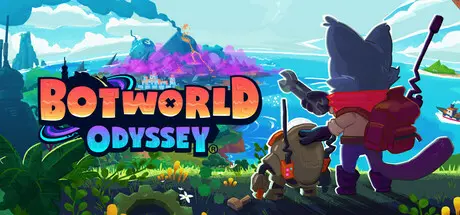
June 27Jun 27 Botworld Odyssey Game DetailsRelease Name: Botworld OdysseyGame Version: v1.32.0 | Build 22693497Release Date: 23 Oct, 2024Publisher: Featherweight GamesDeveloper: Featherweight GamesBased On: CSF & GoldbergBotworld Odyssey Direct Download - Game OverviewScavenge rare scrap and discover new bots to build and collect as you freely explore the many lush forests, arid deserts, tropical jungles and arctic wastes of Botworld. Over the course of the story-driven single player campaign, you’ll discover new environments, meet a variety of characters, collect rare treasures and uncover the many secrets hidden at the heart of Botworld. But make sure you have a strong team of bots, because you never know what's around the corner.Discover, build and collect rare and powerful bots to form the ultimate team. Search the world to discover new bot blueprints, then collect the rare scrap to build and upgrade your favourites. Customise their powers and abilities as they level up and get stronger. Equip yourself with powerful booster chips to adjust your bots’ strengths and change the course of a battle, and deploy unique gadgets while exploring like Bombardment or Invisibility to get the upper hand on the bandits and wild bots that inhabit Botworld.Play as one of 5 animals: cats, dogs, buffalo, rats and lizards. Choose a unique look to add your own personality to the character, and complete missions to unlock new cosmetic items like hats and outfits. Find and defeat ultra-rare bots in the open world to collect their alternate skins and customise your own bots’ looks.Explore a vast open world teeming with rare and unique bots to discoverCollect bots and form the perfect team to face off against bandits and wild botsEngage in real-time tactical battles where mastery of your bots’ AI and player abilities is key to victoryCustomise your player character, and your bot team as they level up and learn new abilitiesFace other Botmasters from around the world in the online PvP arenaDiscover the secrets of Botworld over the course of the story-driven single player campaign on your quest to become the world’s greatest BotmasterBotworld Odyssey Screenshots Botworld Odyssey TrailerBotworld Odyssey System Requirements Minimum RequirementsRecommended Requirements OSWindows 10- ProcessorIntel Core i5-5257U, AMD Ryzen 3 1200 or equivalent- Memory4 GB RAM- GraphicsGeForce GTX 1050, AMD RX 460 or equivalent- DirectX-- Storage-- How to Install Botworld OdysseyNo Installation Needed: The game is pre-installed. Just download and extract.Extract: Right-click the .zip or .rar file and select "Extract Here" or "Extract to folder".Run: Find Botworld.exe inside the folder and run it.Game Data & SettingsChange Language: Edit the file located at steam_settings/Configs.user.iniSave Data Location: %USERPROFILE%/AppData/LocalLow/Featherweight Games/Botworld/Important NotesTo support the Game Developer, Get It On Steam.🔥DOWNLOAD AREA🔥🔹400 MB🔹Select the server you want to download with ZeiLink.Download





Create an account or sign in to comment