



Skip to content
View in the app

A better way to browse. Learn more.

ZeiGames

A full-screen app on your home screen with push notifications, badges and more.

To install this app on iOS and iPadOS
  1. Tap the Share icon in Safari
  2. Scroll the menu and tap Add to Home Screen.
  3. Tap Add in the top-right corner.
To install this app on Android
  1. Tap the 3-dot menu (โ‹ฎ) in the top-right corner of the browser.
  2. Tap Add to Home screen or Install app.
  3. Confirm by tapping Install.

gogh: Focus with Your Avatar Free Download (v2.13.1 + 3 DLC)
Featured Replies

header.webp

Game Details

Release Name:ย gogh: Focus with Your Avatar

Game Version:ย v2.13.1 | Build 22275040

Release Date: 30 Apr, 2025

Publisher: ambr

Developer: ambr

Based On:ย CSF & Goldberg

gogh: Focus with Your Avatar Direct Download - Game Review

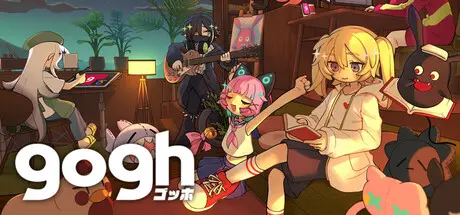
Spend your time at the desk alongside your own characters, friends, players from around the world. Focus together, stay motivated, or just enjoy some quiet company.

Create characters with different hairstyles, outfits, and colors, then place multiple avatars throughout your room.
Take photos, switch poses and expressions, and let your avatars change animations between focus and break sessions.

Build cozy workspaces, art studios, rainy-day libraries, ruins, rooms for your favourite bands ...
Freely place furniture and decorations, customize colors, and add your own images and GIFs to create spaces that are uniquely yours.

Practical tools to support your daily work and study sessions, including:

  • Pomodoro Timer

  • Countdown and Count-up Timers

  • To-Do Lists

  • Daily Habits

  • Journal

  • Focus Statistics

Set the mood with lo-fi music, ambient sounds, weather effects, and different times of day.

Mini Window Mode that make avatar stays in the corner of your desktop and work with you.

Publish your own spaces, visit rooms created by other players, or share and download creations through the Workshop. With countless spaces created by the community, every day can feel like working somewhere new.

Watch YouTube together with friends using Watch Party.

Use face tracking in solo mode to bring your avatar to life. Stream, record videos, or create content using your gogh avatar.

  • Photo Mode with support for transparent backgrounds and green screen videos.

  • Create your own playlists using local music files.

  • Stream virtual camera footage onto supported room items (single-player only).

  • Meet Kuroda 42, a mysterious little companion that evolves as you focus.

  • Native support for Apple Silicon Macs.


Game Screenshots

screenshot screenshot screenshot screenshot


Game Trailer


System Requirements

Minimum Requirements

Recommended Requirements

OS

Windows 10 / 11

Windows 10 / 11

Processor

Intel Core i5-1235U

Intel Core i7-6700 / AMD Ryzen 5 2600

Memory

8 GB RAM

16 GB RAM

Graphics

Intel Iris Xe Graphics

NVIDIA GTX 1060 / Radeon RX580

DirectX

Version 11

Version 11

Storage

3 GB available space

3 GB available space


Installation Guide

  1. No Installation Needed: The game is pre-installed. Just download and extract.

  2. Extract: Right-click the .zip or .rar file and select "Extract Here" or "Extract to folder".

  3. Run: Find gogh.exe inside the folder and run it.

Game Data & Settings

  • Change Language: Edit the file located at steam_settings/Configs.user.ini

  • Save Data Location: %USERPROFILE%/AppData/LocalLow/gogh Japan/gogh

Important Notes

DLC List

Added DLCs

gogh: Focus with Your Avatar - Cosmic Princess Kaguya! DLC

gogh: Focus with Your Avatar โ€“ STUDY WITH MIKU Avatar&Room DLC

gogh: Focus with Your Avatar โ€“ Stasis & Flux Bookmarks

๐Ÿ”ฅDOWNLOAD AREA๐Ÿ”ฅ

๐Ÿ”น1.16 GB๐Ÿ”น

Select the server you want to download with ZeiLink.

Download

  • Views 800
  • Created
  • Last Reply

Posted Images

Create an account or sign in to comment

Recently Browsing 0

  • No registered users viewing this page.

Account

Navigation

Search

Search

๐Ÿ”Ž Search Tip
For exact results, search using "game name" .
Without quotes, results may include unrelated titles.

Configure browser push notifications

Chrome (Android)
  1. Tap the lock icon next to the address bar.
  2. Tap Permissions โ†’ Notifications.
  3. Adjust your preference.
Chrome (Desktop)
  1. Click the padlock icon in the address bar.
  2. Select Site settings.
  3. Find Notifications and adjust your preference.
