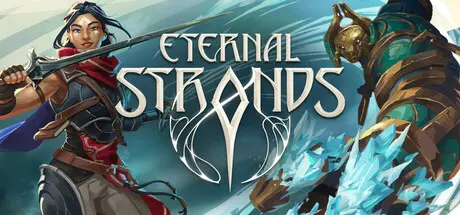
June 11, 20251 yr Eternal Strands Game DetailsRelease Name: Eternal StrandsGame Version: v1.0.13.6176 | Build 18049929Release Date: 28 Jan, 2025Publisher: Yellow Brick GamesDeveloper: Yellow Brick GamesBased On: CSF & GoldbergEternal Strands Direct Download - Game OverviewFace gigantic adversaries and defeat them through a mix of sword, spell, and mobility. Leap onto and climb their massive forms to attack from different angles. Shatter armor or slice at weak spots to diminish their protection. Use ice to pin limbs of a towering foe, arcane flames to burn their fur, or catch lobbed projectiles and turn their attacks back upon them in battles that will leave scars upon the land.Enhance the effectiveness of your ice abilities during a flash freeze to open up new paths. Use a heatwave to start a wildfire and watch it spread towards enemies as it consumes the tinder-dry trees and grass around it.Explore the wilds, the capital city of Dynevron, and the secrets beneath as every surface is climbable. Magical abilities can create bridges, burn barriers, or launch Brynn across the world. The next-generation physics system encourages and rewards player creativity in exploration as much as combat. As the Enclave’s secrets unfold, return to base camp to consult with a rich cast of characters. Each are keen to discover the mysteries of what happened to this lost bastion of power and knowledge.A realm of mystery, opportunity, danger, and wonder: the Enclave awaits.Eternal Strands Screenshots Eternal Strands TrailerEternal Strands System Requirements Minimum RequirementsRecommended Requirements OSWindows 10 / Windows 11Windows 10 / Windows 11 ProcessorIntel Core i5-9400 / AMD Ryzen 5 3350Intel Core i5-11600 / AMD Ryzen 5 5600X Memory8 GB RAM16 GB RAM GraphicsNvidia GeForce GTX 1660 Super 6GB / AMD Radeon RX 5600 XT 6GB / Intel Arc A580Nvidia GeForce RTX 3070 8GB / AMD Radeon RX 6800 16GB / Intel Arc A770 DirectXVersion 12Version 12 Storage24 GB available space24 GB available space How to Install Eternal StrandsNo Installation Needed: The game is pre-installed. Just download and extract.Extract: Right-click the .zip or .rar file and select "Extract Here" or "Extract to folder".Run: Find EternalStrands.exe inside the folder and run it.Game Data & SettingsChange Language: Edit the file located at steam_settings/Configs.user.iniSave Data Location: %USERPROFILE%/AppData/Local/EternalStrands/Saved/SaveGames/Important NotesTo support the Game Developer, Get It On Steam.🔥DOWNLOAD AREA🔥🔹9.12 GB🔹Select the server you want to download with ZeiLink.Download





Create an account or sign in to comment