



Skip to content
View in the app

A better way to browse. Learn more.

ZeiGames

A full-screen app on your home screen with push notifications, badges and more.

To install this app on iOS and iPadOS
  1. Tap the Share icon in Safari
  2. Scroll the menu and tap Add to Home Screen.
  3. Tap Add in the top-right corner.
To install this app on Android
  1. Tap the 3-dot menu (โ‹ฎ) in the top-right corner of the browser.
  2. Tap Add to Home screen or Install app.
  3. Confirm by tapping Install.

Collector's Cove Free Download (v1.0.2.7666.1734 + Supporter Pack DLC)
Featured Replies

header.webp

Game Details

Release Name:ย Collector's Cove

Game Version: v1.0.2.7666.1734 | Build 22195052

Release Date: 12 Mar, 2026

Publisher: VoodooDuck

Developer: VoodooDuck

Based On:ย CSF & Goldberg

Collector's Cove Direct Download - Game Review

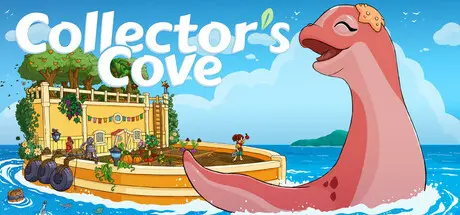
Embark on a tranquil journey to uncharted waters in Collectorโ€™s Cove, a farming adventure set on the high seas! There are no enemies in this world: itโ€™s just you, your animal friend, and an ocean full of secrets and surprises.

Grow a flourishing floating farm. Cultivate rare crops and reel in elusive fish. Discover new islands and climate zones, each with its own collection of unique local flora. Fill in your Collectorโ€™s Compendium. Craft items and personalize your ship, transforming it into your own home. Learn how to gather enough rare crops and fish; you might even rise to the ultimate rank: Named-Collector!

Best of all, you donโ€™t journey alone. Your animal friend will come along for the ride! Strengthen your bond, customize her with accessories, unlock new interactions, and grow together as you venture onwards!


Game Screenshots

screenshot screenshot screenshot screenshot


Game Trailer


System Requirements

Minimum Requirements

Recommended Requirements

OS

Windows 10

Windows 10

Processor

Intel Core i5 2320 CPU

Intel i5 9400

Memory

4 GB RAM

16 GB RAM

Graphics

NVIDIA GeForce GTX 680

NVIDIA GeForce RTX 2070

DirectX

-

-

Storage

4 GB available space

4 GB available space


Installation Guide

  1. No Installation Needed: The game is pre-installed. Just download and extract.

  2. Extract: Right-click the .zip or .rar file and select "Extract Here" or "Extract to folder".

  3. Run: Find CollectorsCove.exe inside the folder and run it.

Game Data & Settings

  • Change Language: Edit the file located at steam_settings/Configs.user.ini

  • Save Data Location: %USERPROFILE%/AppData/Local/CollectorsCove/Saved/SaveGames

Important Notes

๐Ÿ”ฅDOWNLOAD AREA๐Ÿ”ฅ

๐Ÿ”น1.31 GB๐Ÿ”น

Select the server you want to download with ZeiLink.

Download

  • Views 1.1k
  • Created
  • Last Reply

Posted Images

Create an account or sign in to comment

Recently Browsing 0

  • No registered users viewing this page.

Account

Navigation

Search

Search

๐Ÿ”Ž Search Tip
For exact results, search using "game name" .
Without quotes, results may include unrelated titles.

Configure browser push notifications

Chrome (Android)
  1. Tap the lock icon next to the address bar.
  2. Tap Permissions โ†’ Notifications.
  3. Adjust your preference.
Chrome (Desktop)
  1. Click the padlock icon in the address bar.
  2. Select Site settings.
  3. Find Notifications and adjust your preference.
