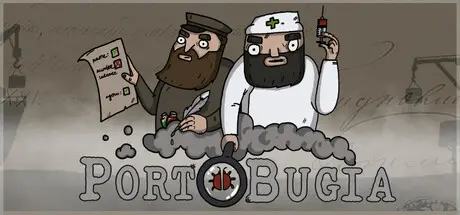
March 11Mar 11 Portobugia Game DetailsRelease Name: PortobugiaGame Version: v1.2.10 | Build 21638706Release Date: 19 Aug, 2024Publisher: Bogland StudioDeveloper: Bogland StudioBased On: CSF & GoldbergPortobugia Direct Download - Game OverviewPortobugia is a management/survival/inspection game where you manage a port and must supply a city with goods and food. To do so you must unload boats, but, be careful, some of them could be infected! You will also face difficult events, to fight them, you can upgrade, construct and research!After the First World War, Eastern Europe has fallen into chaos... Bugs are eating all the crops, spreading diseases, and bandits are everywhere... There is no government to bring peace to the region which means cities must survive by themselves...When a boat arrives in your port, you must inspect it before unloading or refusing it. You must verify the report by looking at the boat and comparing it to the report. If you correctly verify the report you will get some rewards. But if you don't pay attention enough attention to the infection, you will have problems with bugs that will eat some of your resources!You start with a very basic port, but this port will not be enough to survive in this post-WWI world. You must quickly develop your infrastructure if you want to last (and the city to survive). Construct new buildings, upgrade the ones you already have, or research new technologies! You can also hire employees to increase your building’s efficiency, but they will ask for a daily income. And don't forget to send some resources to the city, otherwise your citizens will die!You will need to be ready for all sorts of events that could happen in your port! One bad shipment could spell your doom! Prepare yourself for hard times, winter will be harsh!Boat inspections: inspect boats for any insects in them before unloading them!Random events: you'll have to make toughs decisions to save the city!Buildings: expand your base and unlock new ways to survive!Upgrades: upgrade your buildings to improve their efficiency!Employees: recruit or fire employees to manage your buildings' efficiency!Resources management: Pay attention to your resources, the city needs daily shipments of food and goods!Technologies: research technologies to unlock new upgrades and buildings!Artifacts: search on ships for precious artifacts! Once collected, you can sell or inspect them! You can also open an exhibition to gain daily resources!Scenarios: discover multiple missions with their own goals and difficulties! From the harsh lands of Siberia to a vineyard in southern France, passing through a military dockyard!Morale: your people will go on strike if you make bad decisions! But if you lead them well, they’ll become more efficient!Portobugia Screenshots Portobugia TrailerPortobugia System Requirements Minimum RequirementsRecommended Requirements OSWindows 10- Processori5-8250u- Memory1 GB RAM- GraphicsMX150; GTX660- DirectX-- Storage750 MB available space- How to Install PortobugiaNo Installation Needed: The game is pre-installed. Just download and extract.Extract: Right-click the .zip or .rar file and select "Extract Here" or "Extract to folder".Run: Find Portobugia.exe inside the folder and run it.Game Data & SettingsChange Language: Edit the file located at steam_settings/Configs.user.iniSave Data Location: %USERPROFILE%/AppData/Local/Portobugia/Saved/SaveGamesImportant NotesTo support the Game Developer, Get It On Steam.🔥DOWNLOAD AREA🔥🔹649 MB🔹Select the server you want to download with ZeiLink.Download





Create an account or sign in to comment