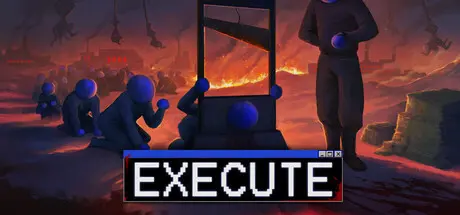
March 8Mar 8 Execute Game DetailsRelease Name: ExecuteGame Version: Build 22205422Release Date: 16 Dec, 2025Publisher: Payne RobinsonDeveloper: Payne RobinsonBased On: CSF & GoldbergExecute Direct Download - Game OverviewExecute is a short active incremental game about reducing the world’s population from 8 billion to zero.Capture people – gather victims for your machines.Execute – start with a guillotine, then unlock new methods.Expand your arsenal – mines, contraptions, and machines that scale with your progress.Optimize Nuclear Supply Chains – build nukes, lay waste, and accelerate humanity’s demise.Repeat!Execute Screenshots Execute TrailerExecute System Requirements Minimum RequirementsRecommended Requirements OSWindows 10Windows 11 ProcessorIntel Core i5Intel Core i5 Memory4 GB RAM4 GB RAM GraphicsGTX 770GTX 1060 DirectX-- Storage200 MB available space200 MB available space How to Install ExecuteNo Installation Needed: The game is pre-installed. Just download and extract.Extract: Right-click the .zip or .rar file and select "Extract Here" or "Extract to folder".Run: Find Launcher.exe inside the folder and run it.Game Data & SettingsChange Language: Edit the file located at steam_settings/Configs.user.iniSave Data Location: %USERPROFILE%/AppData/Roaming/Godot/app_userdata/ExecuteGAMEImportant NotesTo support the Game Developer, Get It On Steam.🔥DOWNLOAD AREA🔥🔹139 MB🔹Select the server you want to download with ZeiLink.Download
March 8Mar 8 Never played an incremental game in my life, this was the first one, and I must say it’s a very addictive one. I recommend it 👌Thanks for the upload :) Edited March 8Mar 8 by starlight





Create an account or sign in to comment