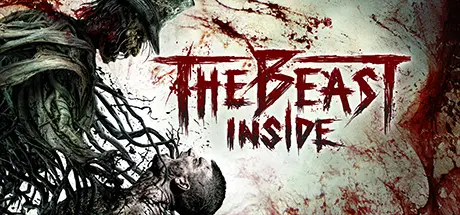
August 30, 20251 yr The Beast Inside Game DetailsRelease Name: The Beast InsideGame Version: v1.05 | Build 12423845Release Date: 17 Oct, 2019Publisher: Illusion RayDeveloper: Illusion RayBased On: CSF & GoldbergThe Beast Inside Direct Download - Game OverviewThe Beast Inside is a unique, gripping twist on thriller and survival horror. The game mixes intriguing story-driven adventure with an unnerving survival horror experience. Immerse in the tale of long-buried secrets, personal tragedies, and madness. Play as two protagonists living in different centuries but bounded by dark heritage.Boston, 1979, Adam, the CIA cryptanalyst, leaves the city and moves to the countryside with his wife, Emma. His handlers are afraid they won’t be able to keep him safe there, but Adam believes he needs a peaceful place in the woodland, to take a shot at the military code. His work may alter the course of the Cold War. As it turns out, this area is quite the opposite of a peaceful place they have expected...In the attic Adam finds a mysterious diary written by a man called Nicolas Hyde, allegedly, a past resident of the same house who lived there in the 19th Century. Once opened, the diary carries the nightmares of the past right into Adam’s times, putting the lives of Adam and Emma in great danger. Density increases as these two stories come to an inevitable crash. Distant past and his eternal prisoner - Nicolas against Adam, cryptanalyst from the Cold War. What can it lead to? In tangled times, who will you trust.The Beast Inside Screenshots The Beast Inside TrailerThe Beast Inside System Requirements Minimum RequirementsRecommended Requirements OSWindows 64-bit Windows 7 / 64-bit Windows 8 / 64-bit Windows 10Windows 64-bit Windows 7 / 64-bit Windows 8 / 64-bit Windows 10 ProcessorIntel Core i3-4160 or AMD Phenom II X4 955Intel Core i7-4770k or AMD Ryzen 5 equivalent Memory8 GB RAM16 GB RAM Graphics2GB / Radeon R9 200 Series or Nvidia GeForce GTX660Nvidia GeForce GTX1060 6GB or AMD Radeon RX 480 8GB DirectXVersion 11Version 11 Storage40 GB available space40 GB available space How to Install The Beast InsideNo Installation Needed: The game is pre-installed. Just download and extract.Extract: Right-click the .zip or .rar file and select "Extract Here" or "Extract to folder".Run: Find TheBeastInside.exe inside the folder and run it.Game Data & SettingsChange Language: Edit the file located at steam_settings/Configs.user.iniSave Data Location: %USERPROFILE%/AppData/Local/TheBeastInside\Saved\SaveGamesImportant NotesTo support the Game Developer, Get It On Steam.🔥DOWNLOAD AREA🔥🔹11.19 GB🔹Select the server you want to download with ZeiLink.Download





Create an account or sign in to comment