



Skip to content
View in the app

A better way to browse. Learn more.

ZeiGames

A full-screen app on your home screen with push notifications, badges and more.

To install this app on iOS and iPadOS
  1. Tap the Share icon in Safari
  2. Scroll the menu and tap Add to Home Screen.
  3. Tap Add in the top-right corner.
To install this app on Android
  1. Tap the 3-dot menu (โ‹ฎ) in the top-right corner of the browser.
  2. Tap Add to Home screen or Install app.
  3. Confirm by tapping Install.

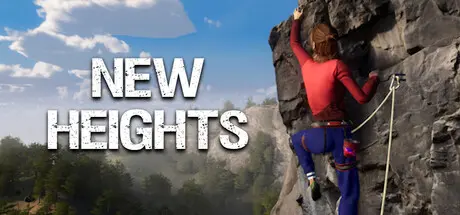
New Heights: Realistic Climbing and Bouldering Free Download (v1.0.1)
Featured Replies

header.webp

Game Details

Release Name:ย New Heights: Realistic Climbing and Bouldering

Game Version:ย v1.0.1 | Build 22129765

Release Date: 26 Feb, 2026

Publisher: Wikkl Works, WhisperGames

Developer: Wikkl Works

Based On:ย CSF & Goldberg

New Heights: Realistic Climbing and Bouldering Direct Download - Game Review

New Heights allows you to experience parts of the real climbing experience and technique. It features the most realistic physics-based climbing mechanics to date, taking grip, balance, body position and hold directions into account. Approach climbing and bouldering problems just like in real life. Feel the adrenaline rush as you make your way upwards, and the sense of accomplishment as you reach the top.

Explore more than 280 of routes across Europe, from quick boulder sessions in Fontainebleau to 30 minute climbs at Freรฟr, Belgium and old ruins of castles and chapels. Push the boundaries of what's possible in climbing and bouldering. Try out free solo climbing and bouldering from the safety of your computer and climb routes that are inaccessible in real life.

Create locations with full creative freedom using our custom Unity-based workshop tool. Set your routes with pre-made holds, or import any 3D model to climb it in New Heights. Or design new pitches while climbing at existing crags. The workshop possibilities are vast!

  • Realistic climbing gameplay: physics-based climbing mechanics that test your balance, body position and grip. Dyno's are also supported.

  • More than 280 real world routes: Real cliffs and structures made possible by photogrammetry and drones. New content is added regularly.

  • Climb the impossible: Climb in locations you might never visit, or where it's not allowed in real life. Try out free solo climbing from the safety of your computer.

  • Workshop support: Create and share your own routes in New Heights, and create fully custom locations with our Unity-based tool.

  • Leaderboards: (Optionally) compete with your friends and other players to get the fastest times on the leaderboards.

  • Climb when you can't: Experience that climbing feeling even if you're injured or otherwise unable to climb. Conquer fear of heights in a virtual setting, or climb your favourite route on a really rainy day.


Game Screenshots

screenshot screenshot screenshot screenshot


Game Trailer


System Requirements

Minimum Requirements

Recommended Requirements

OS

Windows 10 or later

Windows 10 or later

Processor

i3 or Ryzen 3

i5 or Ryzen 5

Memory

8 GB RAM

16 GB RAM

Graphics

GeForce GTX 950 or Radeon HD 7970

GeForce GTX 1060 or Radeon RX 580

DirectX

Version 11

Version 11

Storage

15 GB available space

15 GB available space


Installation Guide

  1. No Installation Needed: The game is pre-installed. Just download and extract.

  2. Extract: Right-click the .zip or .rar file and select "Extract Here" or "Extract to folder".

  3. Run: Find New Heights.exe inside the folder and run it.

Game Data & Settings

  • Change Language: Edit the file located at steam_settings/Configs.user.ini

  • Save Data Location: %USERPROFILE%/AppData/LocalLow/Wikkl Works/New Heights/steam/

Important Notes

๐Ÿ”ฅDOWNLOAD AREA๐Ÿ”ฅ

๐Ÿ”น17.40 GB๐Ÿ”น

Select the server you want to download with ZeiLink.

Download

  • DicDale changed the title to New Heights: Realistic Climbing and Bouldering Free Download (v1.0.1)

  • Views 780
  • Created
  • Last Reply

Posted Images

Create an account or sign in to comment

Recently Browsing 0

  • No registered users viewing this page.

Account

Navigation

Search

Search

๐Ÿ”Ž Search Tip
For exact results, search using "game name" .
Without quotes, results may include unrelated titles.

Configure browser push notifications

Chrome (Android)
  1. Tap the lock icon next to the address bar.
  2. Tap Permissions โ†’ Notifications.
  3. Adjust your preference.
Chrome (Desktop)
  1. Click the padlock icon in the address bar.
  2. Select Site settings.
  3. Find Notifications and adjust your preference.