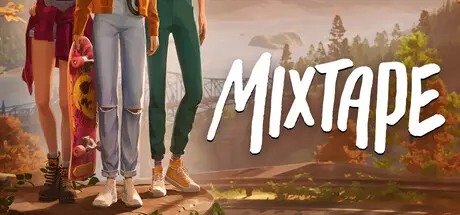
May 7May 7 Mixtape Game DetailsRelease Name: MixtapeGame Version: v1.1 | Build 22992809Release Date: 7 May, 2026Publisher: Annapurna InteractiveDeveloper: Beethoven and DinosaurBased On: CSF & GoldbergMixtape Direct Download - Game OverviewOn their last night together, three friends embark on one final adventure. Play through a mixtape of memories, set to the soundtrack of a generation.En route to their final party together, a perfectly curated playlist draws three friends into dreamlike reenactments of their formative memories. Experience a variety of narrative vignettes exploring the pivotal moments that shaped them. Players will immerse themselves in the teenage wasteland by playing through a mixtape of joyful gameplay, from skateboarding and flying to taking photos after hours at an abandoned theme park, hitting baseballs, and putting on a fireworks show from the backseat of a car. It's the greatest hits of the teenage experience, from the first kiss to the last dance.Mixtape Screenshots Mixtape TrailerMixtape System Requirements Minimum RequirementsRecommended Requirements OSWindows 10Windows 11 ProcessorIntel core i5-9400F or AMD Ryzen 5 1500XIntel Core i5-10600K or Ryzen 5 5500 Memory8 GB RAM16 GB RAM GraphicsNvidia GeForce GTX 1650, 4GB or AMD Radeon RX 580, 8GB or Intel Arc A580, 8GBGeForce RTX 3080, 10GB or AMD Radeon RX 7600 XT, 16GB. DirectX-- Storage12 GB available space12 GB available space How to Install MixtapeNo Installation Needed: The game is pre-installed. Just download and extract.Extract: Right-click the .zip or .rar file and select "Extract Here" or "Extract to folder".Run: Find Mixtape.exe inside the folder and run it.Game Data & SettingsChange Language: Edit the file located at steam_settings/Configs.user.iniSave Data Location: %USERPROFILE%/AppData/Local/NewMoon/Saved/SaveGames/Steam/Important NotesTo support the Game Developer, Get It On Steam.🔥DOWNLOAD AREA🔥🔹10.12 GB🔹Select the server you want to download with ZeiLink.Download





Create an account or sign in to comment