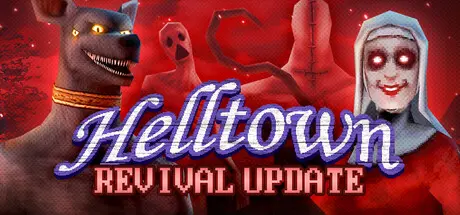
February 23Feb 23 Helltown Game DetailsRelease Name: HelltownGame Version: v1.1.0 | Build 15153448Release Date: 27 Sep, 2017Publisher: WildArts GamesDeveloper: WildArts GamesBased On: CSF & GoldbergHelltown Direct Download - Game OverviewThe Revival Update is here! Get ready to experience the chilling horrors of Little Vale like never before! Helltown has been remade and drastically improved:New models and animations!Improved environments and level design!Improved gameplay mechanics!New dialogues and an improved storyline!New soundtrack by Ockeroid, composer of the excellent Crow Country ost!Helltown Screenshots Helltown TrailerHelltown System Requirements Minimum RequirementsRecommended Requirements OSWindows 7 64-Bit- Processori5- Memory4 GB RAM- GraphicsNVIDIA GTX 570- DirectXVersion 9.0- Storage1 GB available space- How to Install HelltownNo Installation Needed: The game is pre-installed. Just download and extract.Extract: Right-click the .zip or .rar file and select "Extract Here" or "Extract to folder".Run: Find Helltown.exe inside the folder and run it.Game Data & SettingsChange Language: Edit the file located at steam_settings/Configs.user.iniSave Data Location: %USERPROFILE%/AppData/Local/HellTown/Saved/SaveGamesImportant NotesTo support the Game Developer, Get It On Steam.🔥DOWNLOAD AREA🔥🔹518.04 MB🔹Select the server you want to download with ZeiLink.Download





Create an account or sign in to comment