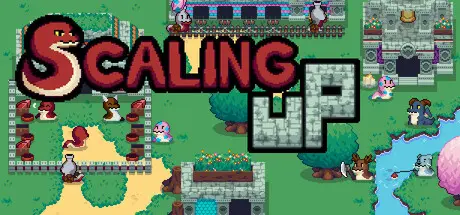
February 22Feb 22 Scaling Up Game DetailsRelease Name: Scaling UpGame Version: v1.0.5 | Build 22026954Release Date: 12 Feb, 2026Publisher: Flannel Bear GamesDeveloper: Flannel Bear GamesBased On: CSF & GoldbergScaling Up Direct Download - Game OverviewThe game runs in the background by default, so you can automate tasks for a while and use the materials after(this can be changed in settings if you desire the game to pause when you minimize it). There are no dangers in the game, no Snakes will die or flee the ranch if they are not fed, they will simply not shed their Scales at the end of the day, so there is no rush or impending doom to be solved. As a small dragon, raise your ranch from the ground up. Gather and manage resources, build different facilities to house your snakes and make sure they are cared for to keep them happy and collect their beautiful scales.Each one of the buildings can house different types of snakes and each one sheds a different scale. Their scales can be used to construct new buildings, craft better tools and equipment or be sold for gold. From horned snakes, to ones with wheels and even wings, there will be plenty of slithering friends to make.Even a very motivated and talented dragon cannot do it all on their own. Most of the species of snakes can help you manage your ranch, be it by helping you feed other snakes, carrying their scales to storages, felling trees, hunting for food, forging new equipment and even cooking. Send your fighter and gatherer snakes to explore new lands and collect rare resources and food. Some of the areas will be underwater or high in the sky and others will be too hot or too cold. Equip your scaly explorers to help them battle the elements or employ specialized species to get the job done. Take time into account and make sure your snakes needs are met each day. Be prepared for weather that can affect your snakes work and changing seasons that bring new mechanics to the mix.Build a lab and with the help of your snakes, perform research to unlock new types of snakes, buildings and improvements for your ranch.Choose from a variety of decorative items and add your own style to your ranch. Just because you are scaling up, doesn’t mean you cannot do a glow up instead.Scaling Up Screenshots Scaling Up TrailerScaling Up System Requirements Minimum RequirementsRecommended Requirements OSWindows 10+- ProcessorDual Core+- Memory8 GB RAM- Graphics2 GB RAM- DirectX-- Storage700 MB available space- How to Install Scaling UpNo Installation Needed: The game is pre-installed. Just download and extract.Extract: Right-click the .zip or .rar file and select "Extract Here" or "Extract to folder".Run: Find Scaling Up.exe inside the folder and run it.Game Data & SettingsChange Language: Edit the file located at steam_settings/Configs.user.iniSave Data Location: %USERPROFILE%/AppData/LocalLow/FlannelBearGames/ScalingUpImportant NotesTo support the Game Developer, Get It On Steam.🔥DOWNLOAD AREA🔥🔹105 MB🔹Select the server you want to download with ZeiLink.Download





Create an account or sign in to comment