



Skip to content
View in the app

A better way to browse. Learn more.

ZeiGames

A full-screen app on your home screen with push notifications, badges and more.

To install this app on iOS and iPadOS
  1. Tap the Share icon in Safari
  2. Scroll the menu and tap Add to Home Screen.
  3. Tap Add in the top-right corner.
To install this app on Android
  1. Tap the 3-dot menu (⋮) in the top-right corner of the browser.
  2. Tap Add to Home screen or Install app.
  3. Confirm by tapping Install.

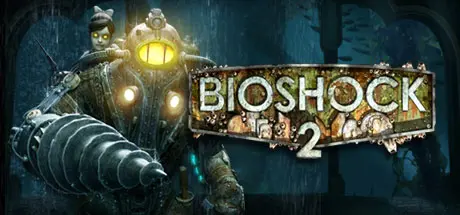
BioShock 2 Free Download (v1.5.0.019 + Minerva’s Den DLC)
Featured Replies

header.webp

Game Details

Release Name: BioShock® 2

Game Version: v1.0 | Build 11111

Release Date: 9 Feb, 2010

Publisher: 2K

Developer: 2K Marin, 2K China, Digital Extremes, 2K Australia

Based On: CSF & Goldberg

BioShock® 2 Direct Download - Game Review

Set approximately 10 years after the events of the original BioShock, the halls of Rapture once again echo with sins of the past. Along the Atlantic coastline, a monster has been snatching little girls and bringing them back to the undersea city of Rapture. Players step into the boots of the most iconic denizen of Rapture, the Big Daddy, as they travel through the decrepit and beautiful fallen city, chasing an unseen foe in search of answers and their own survival.

Multiplayer in BioShock 2 will provide a rich prequel experience that expands the origins of the BioShock fiction. Set during the fall of Rapture, players assume the role of a Plasmid test subject for Sinclair Solutions, a premier provider of Plasmids and Tonics in the underwater city of Rapture that was first explored in the original BioShock. Players will need to use all the elements of the BioShock toolset to survive, as the full depth of the BioShock experience is refined and transformed into a unique multiplayer experience that can only be found in Rapture.


Game Screenshots

screenshot screenshot screenshot screenshot


Game Trailer


System Requirements

Minimum Requirements

Recommended Requirements

OS

Windows XP, Vista, Windows 7

-

Processor

AMD Athlon 64 Processor 3800+ 2.4Ghz or better, Intel Pentium 4 530 3.0Ghz Processor or better

AMD Athlon 64 X2 5200+ Dual Core 2.60Ghz, Intel Core 2 Duo E6420 Dual Core 2.13Ghz

Memory

2GB

3GB

Graphics

NVIDIA 7800GT 256MB graphics card or better, ATI Radeon X1900 256MB graphics card or better

NVIDIA 8800GT 512MB graphics card or better, ATI Radeon HD4830 512MB graphics card or better

DirectX

DirectX 9.0c

-

Storage

11GB

-


Installation Guide

  1. No Installation Needed: The game is pre-installed. Just download and extract.

  2. Extract: Right-click the .zip or .rar file and select "Extract Here" or "Extract to folder".

  3. Run: Find SP/Builds/Binaries/Bioshock2.exe inside the folder and run it.

Game Data & Settings

  • Change Language: Edit the file located at steam_settings/Configs.user.ini

  • Save Data Location: %USERPROFILE%\Documents\Bioshock2\SaveGames\

Important Notes

DLC List

Added DLCs

Minerva's Den (BioShock 2: Minerva’s Den)

🔥DOWNLOAD AREA🔥

🔹11.77 GB🔹

Select the server you want to download with ZeiLink.

Download

  • Replies 1
  • Views 749
  • Created
  • Last Reply

Top Posters In This Topic

Posted Images

Create an account or sign in to comment

Recently Browsing 0

  • No registered users viewing this page.

Account

Navigation

Search

Search

🔎 Search Tip
For exact results, search using "game name" .
Without quotes, results may include unrelated titles.

Configure browser push notifications

Chrome (Android)
  1. Tap the lock icon next to the address bar.
  2. Tap Permissions → Notifications.
  3. Adjust your preference.
Chrome (Desktop)
  1. Click the padlock icon in the address bar.
  2. Select Site settings.
  3. Find Notifications and adjust your preference.
