



Skip to content
View in the app

A better way to browse. Learn more.

ZeiGames

A full-screen app on your home screen with push notifications, badges and more.

To install this app on iOS and iPadOS
  1. Tap the Share icon in Safari
  2. Scroll the menu and tap Add to Home Screen.
  3. Tap Add in the top-right corner.
To install this app on Android
  1. Tap the 3-dot menu (โ‹ฎ) in the top-right corner of the browser.
  2. Tap Add to Home screen or Install app.
  3. Confirm by tapping Install.

STAR WARS Battlefront II Free Download (v1.0.117.50617 Celebration Edition)
Featured Replies

header.webp

Game Details

Release Name:ย STAR WARS Battlefront II

Game Version:ย v1.0.117.50617 | Build 10351139

Release Date:ย 11 Jun, 2020

Publisher:ย Electronic Arts

Developer:ย DICE

Based On:ย EMPRESS

STAR WARSย Battlefrontย II Direct Download - Game Review

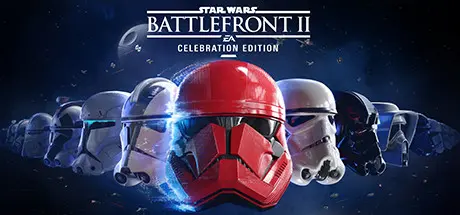
Be the hero in the ultimateย Star Warsย battle fantasy withย Star Warsย Battlefrontย II: Celebration Edition! Getย Star Warsย Battlefront II and the complete collection of customization content acquirable through in-game purchase from launch up to โ€” and including โ€” items inspired byย Star Wars:ย THE RISE OF SKYWALKER*.

Embark on an endless Star Warsย journey from the best-selling Star Warsย video game franchise of all time. Experience rich multiplayer battlegrounds across all three eras - prequel, classic and new trilogy - or rise as a new hero and discover an emotionally gripping single-player story spanning thirty years.

Customize and upgrade your heroes, starfighters or troopers - each with unique abilities to exploit in battle. Ride tauntauns or take control of tanks and speeders. Use the Force to prove your worth against iconic characters like Kylo Ren, Darth Maul or Han Solo, as you play a part in a gaming experience inspired by forty years of timeless Star Wars films.


Game Screenshots

screenshotย screenshotย screenshotย screenshot


Game Trailer


System Requirements

Minimum Requirements

Recommended Requirements

OS

64-bit Windows 10

64-bit Windows 10 or later

Processor

Processor (AMD): AMD FX 6350 Processor (Intel): Intel Core i5 6600K

Processor (AMD): AMD FX 8350 Wraith Processor (Intel): Intel Core i7 6700 or equivalent

Memory

8 GB RAM

16 GB RAM

Graphics

Graphics card (AMD): AMD Radeonโ„ขย HD 7850 2GB Graphics card (NVIDIA): NVIDIA GeForceยฎย GTX 660 2GB

Graphics card (AMD): AMD Radeonโ„ขย RX 480 4GB Graphics card (NVIDIA): NVIDIA GeForceยฎย GTX 1060 3GB

DirectX

Version 11

Version 11

Storage

60 GB available space

60 GB available space


Installation Guide

  1. No Installation Needed: The game is pre-installed. Just download and extract.

  2. Extract: Right-click theย .zipย orย .rarย file and select "Extract Here" or "Extract to folder".

  3. Run: Findย starwarsbattlefrontiiย inside the folder and run it.

Game Data & Settings

  • Change Language: Edit the file located atย emp.ini

Important Notes

๐Ÿ”ฅDOWNLOAD AREA๐Ÿ”ฅ

๐Ÿ”น83.52 GB๐Ÿ”น

Select the server you want to download with ZeiLink.

Download

  • Views 15
  • Created
  • Last Reply

Posted Images

Create an account or sign in to comment

Recently Browsing 0

  • No registered users viewing this page.

Account

Navigation

Search

Search

๐Ÿ”Ž Search Tip
For exact results, search using "game name" .
Without quotes, results may include unrelated titles.

Configure browser push notifications

Chrome (Android)
  1. Tap the lock icon next to the address bar.
  2. Tap Permissions โ†’ Notifications.
  3. Adjust your preference.
Chrome (Desktop)
  1. Click the padlock icon in the address bar.
  2. Select Site settings.
  3. Find Notifications and adjust your preference.
