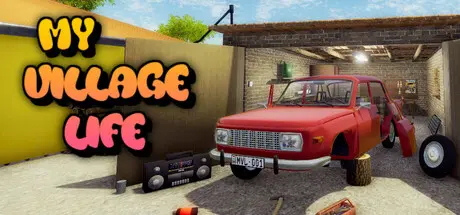
February 20Feb 20 My Village Life Game DetailsRelease Name: My Village LifeGame Version: v0.9.2.0 | Build 23915276Release Date: 27 Aug, 2020Publisher: Papucs GamesDeveloper: Papucs GamesBased On: CSF & GoldbergMy Village Life Direct Download - Game OverviewHave you ever wondered what it's like to be a villager?My Village Life gives this feeling into your hands. Quests from other dwellers with different rewards. Grow your own crops in your garden, chop wood then sell it for great money. The game has several obtainable vehicles for different purposes.The tavern is open 7/24, giving you enough time to get drunk and won't be able to go home. If alcohol didn't catch you, there are other activities, like hunting, fishing, forest jobs, farming jobs, run businesses, helping people or discovering the secrets that the village holds.Open world gameplay, much to explore,large map with various weather and exciting cave system and with various weatherLiving nature with pigs, deers, rabbits, birds, bears and other animalsMany cars, motorbikes, bus, trucks, tractors, airplane, trailers, agricultural tools and other are available to drive and useCustomizing vehicles with permormance, cosmetic and painting optionsSeveral and varied quests and missions to help your villager friends and get some moneyDiscover the secrets of your family and get to the end of the main storyBecome a rally racer and get yourself into the mud to win Top Beer's TSD ralliesRun businesses to outgrow your village and be a millionaireCruise around on the map in winter season and do Christmas jobsFind all hidden vehicle parts and finish that someone had startedMy Village Life Screenshots My Village Life TrailerMy Village Life System Requirements Minimum RequirementsRecommended Requirements OSWindows 7+Windows 7+ Processor+3 GHZ dual core processor+3 GHZ dual core processor Memory5 GB RAM8 GB RAM GraphicsGeForce GT 640 or AMD equivalentGeForce GTX 1050 or AMD equivalent DirectX-- Storage7000 MB available space8000 MB available space How to Install My Village LifeNo Installation Needed: The game is pre-installed. Just download and extract.Extract: Right-click the .zip or .rar file and select "Extract Here" or "Extract to folder".Run: Find MyVillageLife.exe inside the folder and run it.Multiplayer & Online (Optional)Play Online: Download the Online Fix file and apply it to the game folder.Please go to the online fix page and read the guide.Game Data & SettingsChange Language: Edit the file located at steam_settings/Configs.user.iniImportant NotesTo support the Game Developer, Get It On Steam.🔥DOWNLOAD AREA🔥🔹5.78 GB🔹Select the server you want to download with ZeiLink.DownloadOnline Fix - (RAR pass: zeigames.com)





Create an account or sign in to comment