



Skip to content
View in the app

A better way to browse. Learn more.

ZeiGames

A full-screen app on your home screen with push notifications, badges and more.

To install this app on iOS and iPadOS
  1. Tap the Share icon in Safari
  2. Scroll the menu and tap Add to Home Screen.
  3. Tap Add in the top-right corner.
To install this app on Android
  1. Tap the 3-dot menu (โ‹ฎ) in the top-right corner of the browser.
  2. Tap Add to Home screen or Install app.
  3. Confirm by tapping Install.

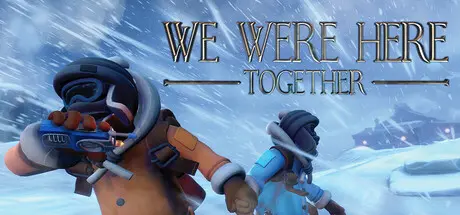
We Were Here Together Free Download (v1.7.6 + Online)
Featured Replies

header.webp

Game Details

Release Name:ย We Were Here Together

Game Version:ย v1.7.6 | Build 7429812

Release Date: 10 Oct, 2019

Publisher: Total Mayhem Games

Developer: Total Mayhem Games

Based On:ย CSF & Unsteam

We Were Here Together Direct Download - Game Review

Embark on a puzzle solving adventure in which you and a partner must prove you can communicate and work together to escape the haunted Castle Rock.

It all begins with an emergency flare lighting up the sky and a distress call waking you from uneasy dreams. Your fellow Antarctic explorers are in trouble, and the two of you left at base camp must work together to launch a rescue mission. If only you knew what you were getting intoโ€ฆ

From the research base camp youโ€™ll need to figure out a way to get to the source of the distress flare. Once youโ€™re through the frozen Antarctic wastes, you'll find yourselves separated inside a medieval castle, facing puzzles, secrets, and dangers! You and your partner start out with nothing but your wits and a walkie-talkie each. Observation, smart communication and teamwork will be the only way to escape from the sinister Castle Rock.

  • Spine-tingling story: uncover a dark history, and become closer acquainted with the malevolent being known only as โ€˜the Jesterโ€™. Who, or what, is he?

  • Walkie-talkie: you must communicate to progress โ€“ find out just how good you are at describing and explaining your surroundings

  • Puzzle packed: work together to solve this captivating digital escape room

  • Mysterious locales: explore the expedition base camp, frozen Antarctic valleys, and the sinister Castle Rock itself

Your voice will have to lead the way.

You and your expedition partner must traverse the Antarctic wasteland and infiltrate an ominous medieval castle. All you start with is a pair of walkie-talkies โ€“ will you be able to work together on the same wavelength?

Two minds will have to think alike.

Immerse yourself in an intriguing cooperative experience as you and your partner puzzle your way through a series of thrilling situations. Discover brand new environments and mysteries, together.

We were not alone...

Darkness has engulfed the once magnificent Castle Rock and its surroundings. Can you discover the truth behind the grim fate of the fallen citadel and make it out alive... or will the original inhabitants catch you on your way out?


Game Screenshots

screenshot screenshot screenshot screenshot


Game Trailer


System Requirements

Minimum Requirements

Recommended Requirements

OS

Windows 10 64 bit

Windows 11 64 bit

Processor

Intel Core i5 4000 series or equivalent

Intel Core i5 4000 series or equivalent

Memory

8 GB RAM

16 GB RAM

Graphics

Nvidia GTX 1060 6GB or equivalent, integrated graphics not supported

Nvidia GTX 1660TI or equivalent, integrated graphics not supported

DirectX

Version 11

Version 11

Storage

20 GB available space

20 GB available space


Installation Guide

  1. No Installation Needed: The game is pre-installed. Just download and extract.

  2. Extract: Right-click the .zip or .rar file and select "Extract Here" or "Extract to folder".

  3. Run: Sign in Steam Account and find We Were Here Together.exe inside the folder and run it.

Game Data & Settings

  • Change Language: Edit the file located at unsteam.ini

Important Notes

๐Ÿ”ฅDOWNLOAD AREA๐Ÿ”ฅ

๐Ÿ”น4.51 GB๐Ÿ”น

Select the server you want to download with ZeiLink.

Download

  • 1 month later...
  • Replies 1
  • Views 1.6k
  • Created
  • Last Reply

Top Posters In This Topic

Posted Images

Create an account or sign in to comment

Recently Browsing 0

  • No registered users viewing this page.

Account

Navigation

Search

Search

๐Ÿ”Ž Search Tip
For exact results, search using "game name" .
Without quotes, results may include unrelated titles.

Configure browser push notifications

Chrome (Android)
  1. Tap the lock icon next to the address bar.
  2. Tap Permissions โ†’ Notifications.
  3. Adjust your preference.
Chrome (Desktop)
  1. Click the padlock icon in the address bar.
  2. Select Site settings.
  3. Find Notifications and adjust your preference.
