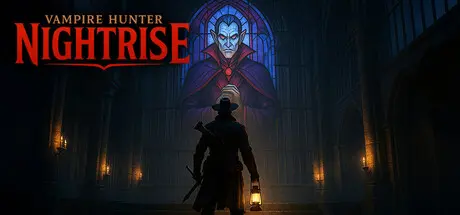
July 17Jul 17 Vampire Hunter: Nightrise Game DetailsRelease Name: Vampire Hunter: NightriseGame Version: v1.0.05 | Build 24214164Release Date: 14 Jul, 2026Publisher: Over The MoonDeveloper: Over The MoonBased On: CSF & GoldbergVampire Hunter: Nightrise Direct Download - Game OverviewYou entered the castle to kill its master. Now the gates are sealed, the sun is setting, and the vampire is waiting for Nightrise. To reach him, you’ll have to learn the castle’s secrets, fight through its servants, and hold on to the faith that makes you dangerous.The castle was built to keep hunters wandering until nightfall.Fireplaces rotate. Bookcases slide aside. Portraits conceal corridors, and familiar rooms connect in unexpected ways. Notes left by fallen hunters reveal traps, mechanisms, and fragments of the path ahead. Learn how the castle works, and you can dismantle the defenses protecting its master.You only brought so many stakes. Fortunately, the castle is full of wood.Smash furniture apart to replenish your ammunition.Pierce multiple enemies with a single shot.Pin monsters to walls, floors, and anything else behind them.Fire through open flames to ignite your stakes.Every chair is a weapon—once you break it.Faith is not merely part of the story. It is a resource you should protect.Channel it through your cross to stun enemies, defend yourself, and stay alive. But the castle will offer you forbidden powers—and every advantage asks you to surrender some of the faith you need to survive.What will you compromise to complete the hunt?Vampire Hunter: Nightrise is a focused, handcrafted first-person adventure combining brutal FPS combat, exploration, hidden passages, and a story about pride, temptation, and belief.The deeper you travel into the castle, the more the hunt turns back on you—testing your convictions before you finally confront your prey.One castle. One night. One vampire.Find him before he finds you.Vampire Hunter: Nightrise Screenshots Vampire Hunter: Nightrise TrailerVampire Hunter: Nightrise System Requirements Minimum RequirementsRecommended Requirements OSWIndows 10- ProcessorAMD Ryzen 5 3600 / Intel Core i5-9600K or equivalent- Memory8 GB RAM- GraphicsNVIDIA GTX 1060 (6GB) / AMD Radeon RX 580 (8GB) / Intel Arc A380 or equivalent- DirectXVersion 12- Storage1 GB available space- How to Install Vampire Hunter: NightriseNo Installation Needed: The game is pre-installed. Just download and extract.Extract: Right-click the .zip or .rar file and select "Extract Here" or "Extract to folder".Run: Find Vampire Hunter: Nightrise.exe inside the folder and run it.Game Data & SettingsChange Language: Edit the file located at steam_settings/Configs.user.iniSave Data Location: %USERPROFILE%/AppData/LocalLow/Over The Moon/Vampire Hunter Nightrise/savesImportant NotesTo support the Game Developer, Get It On Steam.🔥DOWNLOAD AREA🔥🔹733 MB🔹Select the server you want to download with ZeiLink.Download





Create an account or sign in to comment