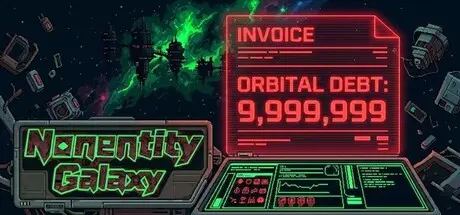
February 16Feb 16 Nonentity Galaxy Game DetailsRelease Name: Nonentity GalaxyGame Version: v1.6.6.21 | Build 21920100Release Date: 3 Feb, 2026Publisher: 2P GamesDeveloper: Brick-Up StudioBased On: CSF & GoldbergNonentity Galaxy Direct Download - Game OverviewTake a contract → choose how to handle encounters → salvage & recycle → refit your fleet → return, settle the bill, and head out again for bigger risks and bigger rewards.This isn’t a lone ship run—it’s fleet deployment and tactical decision-making. Let the AI handle routine combat, or take manual control to focus fire and reposition for an edge:Formation & positioning shape your damage coverage and survivalTarget focus changes the pace of fightsFight when you must—retreat when you should (getting home is part of winning)Every sortie is a gamble. Routes, battles, and encounters come with different rewards and costs. Winning isn’t enough—you must manage expenses, attrition, and salvage value, because what you bring back is how you grow stronger.Module builds: swap better modules on the spot—power spikes you can feel immediatelyRoute gambling: safer paths offer stability; riskier ones can yield rarer modules and bigger payoutsCut your losses: retreating is a strategy—but deductions are real, and the settlement will tell the storyThe galaxy’s glory belongs to “civilization.” The mess is for field agents.You’ll face absurd incidents, faction politics, and corporate bureaucracy—where dark humor isn’t just dialogue, it’s the system itself:Sometimes you think you’ve “paused”… and it turns out you just triggered another procedure and another costSometimes you win the battle… then watch your earnings get sliced before they reach your pocketHere, the enemy isn’t only enemy fire. It’s also the rules.Nonentity Galaxy Screenshots Nonentity Galaxy TrailerNonentity Galaxy System RequirementsMinimum RequirementsRecommended RequirementsOSWindows 10+ (32/64 bits)Windows 10+ (32/64 bits)ProcessorDual-core 2.5 GHz or equivalentCore i3 2,5 GHz or equivalentMemory4 GB RAM4 GB RAMGraphicsDedicated GPU, 1 GB VRAM/ AMD HD5750 or equivalentDedicated GPU, 2 GB VRAM / GTX 750ti or equivalentDirectXVersion 10Version 12Storage2 GB available space2 GB available spaceHow to Install Nonentity GalaxyNo Installation Needed: The game is pre-installed. Just download and extract.Extract: Right-click the .zip or .rar file and select "Extract Here" or "Extract to folder".Run: Find NonentityGalaxy.exe inside the folder and run it.Game Data & SettingsChange Language: Edit the file located at steam_settings/Configs.user.iniSave Data Location: %USERPROFILE%/AppData/LocalLow/BrickUpStudio/NonentityGalaxyImportant NotesTo support the Game Developer, Get It On Steam.🔥DOWNLOAD AREA🔥🔹241 MB🔹Select the server you want to download with ZeiLink.Download





Create an account or sign in to comment