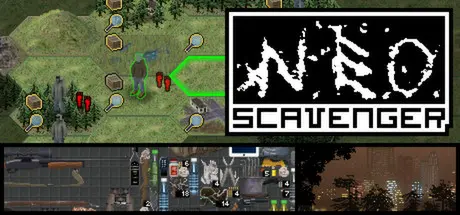
August 16Aug 16 NEO Scavenger Game DetailsRelease Name: NEO ScavengerGame Version: Build 1555756Release Date: 15 Dec, 2014Publisher: Blue Bottle GamesDeveloper: Blue Bottle GamesBased On: CSFNEO Scavenger Direct Download - Game Overview NEO Scavenger is a game where you must survive in the wasteland long enough to figure out who you are. Each turn, you must decide where to go, how to scavenge for supplies, and how to deal with anything and anyone you encounter. And with each passing minute, the pit in your stomach grows, your dehydration worsens, your muscles tire, and your body temperature drops in the cold autumn air. Choose your starting abilities carefully, because they and your wit are the only tools you have in the apocalypse!Unique Setting - Near-future, post-apocalyptic Michigan with local cryptids and folklore. And something else beneath the surface...Turn-Based Play - Take your time with each turn, and play at your own pace. Save and quit when you want, and resume later.Permadeath - If you die, that's it. NEO Scavenger is balanced around a single difficulty level: permadeath. Your save will be deleted if you die. So choose every action carefully!No Grinding - There is no XP in NEO Scavenger. No levelling-up. Instead, progress comes from learning how to play the game better, and using your strengths to your advantage.Semi-Random - Much of the map is randomized each game, including the location of ruins, creatures, weather, and certain quest branches.Sandbox or Story - Search for clues to your identity, what happened, and who's hunting you. Or simply test your mettle against man and nature alike. Play how you want!Abilities and Flaws - Choose abilities and flaws each time you play. Different combos unlock different abilities and quest branches.Crafting - Extensive crafting system which allows for substitutions of similar items. Make a rifle scope from half a pair of binoculars, or a noise trap from a pill bottle and pebbles.Desperate Combat - Detailed combat with moves like "Tackle," "Lure," "Kick While Down," "Demand Surrender," and "Threaten."Realistic Wounds - Creatures have complex wound simulation, with multiple wound locations, infection, bleeding, and pain management.Realistic Metabolism - Hypothermia, fatigue, thirst, hunger, disease, intoxication, shelter...everything is tracked.Realistic Inventory - Complex inventory system with slots for holding, wearing, containers, and more. Fit items in grid spaces, and manage encumbrance.Hex-Based World Map - Navigate ruins, hills, forests, and plains in a hex-based map. Line-of-sight, elevation, and daylight matters.Tracking - Creatures leave their tracks and spoor on the map, which can be followed by others. Players can also hide their tracks.Hiding - Players can use hiding to avoid being seen while traveling the map, as well as during story encounters.Hunting - Trap small game for food and fur, or track and kill larger prey on the map for butchering.Hacking - Use hacking skills to unlock scavenged laptops, cellphones, smartphones, and tablets. Mine them for paydata, or snoop through personal files.Foraging - Search for edible plants and water, and use special skills to identify what's safe to eat.Haunting Soundtrack - Music composed by Josh Culler, specifically for NEO Scavenger, plays periodically, lending an atmosphere of loneliness and desperation. (Also accessible as mp3s outside game.)Creature AI - Wandering creatures go about their own business, hunting, scavenging, and hoarding. Morale affects their choices, and some will gang-up and cause trouble.Dynamic Weather - Temperature, rainfall, and night/day are based on real-world data for autumn in the area. If you live long enough, you may see snow fall.Detroit - Take refuge from the wasteland in one of mankind's last bastions of safety. Buy supplies, get medical care, and seek clues in a cyberpunk-styled city.Trading Cards - Collect NEO Scavenger trading cards, badges, emoticons, and profile backgrounds!NEO Scavenger Screenshots NEO Scavenger TrailerNEO Scavenger System RequirementsMinimum RequirementsRecommended RequirementsOSMicrosoft® Windows® XP (32 bit), Windows Server 2008 (32 bit), Windows Vista® (32 bit), Windows 7 (32 bit and 64 bit), Windows 8 (32 bit and 64 bit), or Windows Server 2012 (64 bit)-Processor2.33GHz or faster x86-compatible processor, or Intel Atom 1.6GHz or faster processor for netbooks-Memory1 GB RAM-Graphics128MB of graphics memory-DirectX--Storage75 MB available space-How to Install NEO ScavengerNo Installation Needed: The game is pre-installed. Just download and extract.Extract: Right-click the .zip or .rar file and select "Extract Here" or "Extract to folder".Run: Find NEOScavenger.exe inside the folder and run it.Important NotesTo support the Game Developer, Get It On Steam.🔥DOWNLOAD AREA🔥🔹162 MB🔹Select the server you want to download with ZeiLink.Download





Create an account or sign in to comment