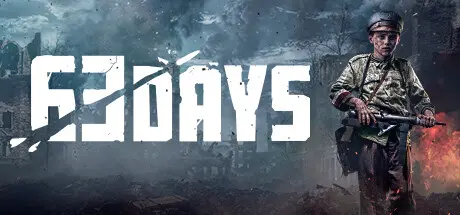
February 10Feb 10 63 Days Game DetailsRelease Name: 63 DaysGame Version: v11237 | Build 16005489Release Date: 26 Sep, 2024Publisher: Destructive CreationsDeveloper: Destructive CreationsBased On: CSF & Goldberg63 Days Direct Download - Game OverviewI'm part of the first generation born in a free Poland, after 123 years of foreign occupation. I grew up believing our freedom was safe, but the outbreak of World War II shattered that hope. We're angry and tired, but also determined. We're itching to do something, to reclaim our normal lives. My companions and I feel we have only one choice: to get revenge and win back independence for our city and nation, or die trying.The odds are overwhelmingly against us, but we're like brothers and sisters, driven by our fighting spirit, relying on our wits and teamwork. But will it all be enough?If we plan well and execute correctly as a group, we might just stand a chance. We have many ways to approach each mission, always trying to make the right decisions.Wherever our uprising takes us, our bravery will be remembered for generations. Our story will be told, there will be enough survivors to tell the tale. We'll employ good tactics, be fearless, be like ghosts.We know how to fight. We prefer to be stealthy, to increase our chances and minimize our losses. But if that fails, we'll shoot our way through.We know Warsaw inside out and we use that to our advantage. The Germans may have destroyed much of the city, but that only helps us engage them more effectively!We're fewer in numbers, but stronger in motivation and the bonds that keep us together. Good cooperation is one of our strengths. Each of us has a different background, personality, and skills, but we fight together as one. Having a good friend to fight alongside you and have your back is not only more fun, but also a big advantage.63 Days Screenshots 63 Days Trailer63 Days System Requirements Minimum RequirementsRecommended Requirements OSWindows® 7 (Service Pack 1) / Windows® 8 / Windows® 8.1 / Windows® 10 / (64-bit only)Windows® 7 (Service Pack 1) / Windows® 8 / Windows® 8.1 / Windows® 10 / (64-bit only) ProcessorIntel Core i5-7400 or AMD Ryzen 5 1600Intel Core i7-4790 or AMD Ryzen 5 2600 Memory8 GB RAM16 GB RAM GraphicsIntel Arc 380, NVIDIA GeForce GTX 950 or AMD Radeon R9 270. At least 2GB of dedicated VRAM.Intel Arc 750, NVIDIA GeForce GTX 1650 or AMD Radeon RX 470. At least 4GB of dedicated VRAM. DirectXVersion 11Version 12 Storage16 GB available space16 GB available space How to Install 63 DaysNo Installation Needed: The game is pre-installed. Just download and extract.Extract: Right-click the .zip or .rar file and select "Extract Here" or "Extract to folder".Run: Find WM/Binaries/Win64/WM-Win64-SHIPPING.exe inside the folder and run it.Multiplayer & Online (Optional)Play Online: Download the Online Fix file and apply it to the game folder.Please go to the online fix page and read the guide.Game Data & SettingsChange Language: Edit the file located at steam_settings/Configs.user.iniSave Data Location: */WM/SavegamesImportant NotesTo support the Game Developer, Get It On Steam.🔥DOWNLOAD AREA🔥🔹6.50 GB🔹Select the server you want to download with ZeiLink.DownloadOnline Fix - (RAR pass: zeigames.com)





Create an account or sign in to comment