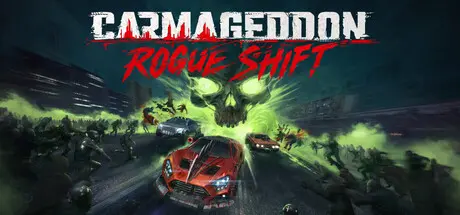
February 8Feb 8 Carmageddon: Rogue Shift Game DetailsRelease Name: Carmageddon: Rogue ShiftGame Version: v1.2.1 | Build 21803723Release Date: 6 Feb, 2026Publisher: 34BigThings srlDeveloper: 34BigThings srlBased On: CSF & GoldbergCarmageddon: Rogue Shift Direct Download - Game OverviewThe year is 2050, and the world you know is a post‑apocalyptic wasteland.Hordes of nightmare creatures, the Wasted, lay siege to humanity. Every night, the streets are overrun, forcing everyone to barricade themselves in their skyscraper-homes for survival.There is just one chance to escape all this: the Carmageddon.These deadly races promise power, prestige, and valuable prizes to the participants. Most importantly, the champion wins the right to attempt the perilous journey that leads to the spaceport beyond the mountains. The only one left, the only chance to flee this dying world.You enter the Carmageddon as one of countless racers, equipped with little more than a rust bucket, scavenged fuel, and a makeshift weapon. You'll face off against rival gangs like the Autoscum and other rogues in a fight for survival. Each destruction race is an opportunity to win parts and upgrades, a step towards the ultimate escape.As the night descends, the Wasted take the streets, and you with them.The original Carmageddon spirit of vehicular mayhem has been refined and redesigned. We looked at the past and the present to create a visceral, fast and accessible form of combat racing.• 15 upgradeable vehicles – FWD, RWD & AWD, each with unique weight and suspension• Metal‑on‑metal car combat – crash, shove, boost and side‑bash rivals• 13 weapon classes – from shotguns to railguns, all fully upgradable• 80+ perks – craft outrageous synergies for destruction racing supremacy• Dynamic weather & day‑night cycle – rain slicks the tarmac, fog shrouds ambushes• Elite & Boss events – colossal war‑rigs, corrupted Enforcers, and endless zombie hordes• Extensive visual damage model - windshields, hood, doors, bumpers and trunk lid will bend, crumple, hang and detach.Carmageddon: Rogue Shift Screenshots Carmageddon: Rogue Shift TrailerCarmageddon: Rogue Shift System RequirementsMinimum RequirementsRecommended RequirementsOSWindows 10 64bitWindows 11 64bitProcessorIntel Core i7-6700 / AMD Ryzen 5 1600XIntel Core i7-12700K / AMD Ryzen 7 5800XMemory8 GB RAM16 GB RAMGraphicsNVIDIA GeForce RTX 2060 6 GB / AMD Radeon RX 5600 XT 6 GB / Intel Arc A380 6 GBNVIDIA GeForce RTX 3070 Ti 8 GB / AMD Radeon RX 6700 XT 12 GBDirectXVersion 12Version 12Storage35 GB available space50 GB available spaceHow to Install Carmageddon: Rogue ShiftNo Installation Needed: The game is pre-installed. Just download and extract.Extract: Right-click the .zip or .rar file and select "Extract Here" or "Extract to folder".Run: Find Carma.exe inside the folder and run it.Game Data & SettingsChange Language: Edit the file located at steam_settings/Configs.user.iniSave Data Location: %USERPROFILE%/AppData/Local/Carma/Saved/SaveGames/Steam/Important NotesTo support the Game Developer, Get It On Steam.🔥DOWNLOAD AREA🔥🔹30.22 GB🔹Select the server you want to download with ZeiLink.Download





Create an account or sign in to comment