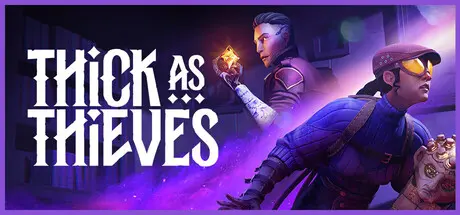
May 21May 21 Thick As Thieves Game DetailsRelease Name: Thick As ThievesGame Version: Build 23321950Release Date: 20 May, 2026Publisher: Megabit PublishingDeveloper: OtherSide EntertainmentBased On: CSF & GoldbergThick As Thieves Direct Download - Game OverviewEnter the shadows in this introduction to Thick as Thieves. In the shadow-draped streets of Kilcairn, fortune favours the bold. As a member of the Thieves' Guild, you'll undertake daring heists to claim precious heirlooms and uncover arcane secrets hidden within this alternate-history 1910s Scottish city, where magic and early technology have begun to collide. Whether working alone or playing online co-op, only the most cunning will seize their fortune in Thick as Thieves! Play as one of two skilled thieves, each with their own unique talents and abilities and use observation and improvisation to pull off daring heists. Just make sure to stay hidden in the shadows.No heist ever plays out the same way twice in Thick as Thieves. Whether playing solo or co-op in short play sessions, as you increase the difficulty from Novice to Master Thief, security layouts and guard configurations shift, creating dozens of distinct and highly replayable experiences. Every mission is an opportunity, and every opportunity can be approached creatively.Use all of your gadgets and abilities to gain your spoils. When things get complicated, use Slithersap to short-circuit security lights, toss a Smoke Bomb to break line of sight, or send out the Pickpocket Fairy to trigger switches from a distance. Whether you use stealth, distraction or subterfuge, all the tools are at your disposal.As a newly minted member of the Thieves’ Guild seeking to prove your talents, take on one of 3 Mission-types and 16 Contracts across a 4-hour campaign that will take you to two of Kilcairn’s well-guarded landmarks Plot your way through the streets and across rooftops to seize your fortune.Thick As Thieves Screenshots Thick As Thieves TrailerThick As Thieves System Requirements Minimum RequirementsRecommended Requirements OSWindows 10Windows 11 ProcessorIntel(R) Core(TM) i5-4570 CPU @ 3.2GHzIntel(R) Core(TM) i7-8700 CPU @ 3.2GHz Memory12 GB RAM16 GB RAM GraphicsNVIDIA GeForce GTX 1060 6GB+ (or equivalent)NVIDIA GeForce GTX 2070 8GB+ (or equivalent) DirectXVersion 12Version 12 Storage10 GB available space10 GB available space How to Install Thick As ThievesNo Installation Needed: The game is pre-installed. Just download and extract.Extract: Right-click the .zip or .rar file and select "Extract Here" or "Extract to folder".Run: Find TAT.exe inside the folder and run it.Game Data & SettingsChange Language: Edit the file located at steam_settings/Configs.user.iniSave Data Location: %USERPROFILE%/AppData/Local/TAT/Saved/SaveGamesImportant NotesTo support the Game Developer, Get It On Steam.🔥DOWNLOAD AREA🔥🔹3.39 GB🔹Select the server you want to download with ZeiLink.Download





Create an account or sign in to comment