



Skip to content
View in the app

A better way to browse. Learn more.

ZeiGames

A full-screen app on your home screen with push notifications, badges and more.

To install this app on iOS and iPadOS
  1. Tap the Share icon in Safari
  2. Scroll the menu and tap Add to Home Screen.
  3. Tap Add in the top-right corner.
To install this app on Android
  1. Tap the 3-dot menu (โ‹ฎ) in the top-right corner of the browser.
  2. Tap Add to Home screen or Install app.
  3. Confirm by tapping Install.

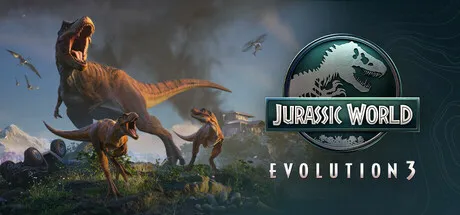
Jurassic World Evolution 3 Free Download (Offline Activation)
Featured Replies

header.webp

Game Details

Release Name:ย Jurassic World Evolution 3

Game Version:ย v1.2.6 | Build 22195615

Genre: Simulation, Dinosaurs, Strategy, Sandbox, City Builder

Publisher: Frontier Developments

Platform: PC

Based On:ย Anti Denuvo Sanctuary CSF

Download Jurassic World Evolution 3

The next entry in the award-winning series, Jurassic World Evolution 3 puts you in control of building and running your very own Jurassic World.

Help life find a way by synthesising, breeding, and nurturing prehistoric species. Manage each species and allow them to thrive, while helping your dinosaurs raise families and pass their genes onto future generations.

Create incredible havens for your dinosaurs to help them flourish, build exciting new attractions to amaze guests, and maintain control when disaster inevitably strikes.

With over 85 awe-inspiring pre-historic species, 75 of which allow you to manage, breed and nurture families of dinosaurs across entire generations. Rear them from playful juveniles into awe-inspiring adults, each with distinct female, male, and juvenile variants.

Park guests will marvel as these majestic creatures socialise and react to the vibrant world around them.

Manage unique social needs and observe brand new behaviours, with semi-aquatic dinosaurs venturing into deep water and pterosaurs walking on land.

Create jaw-dropping parks with new creative tools never before seen in the Jurassic World Evolution series! From groundbreaking terrain editing to modular scenery customisation โ€“ build and tweak every aspect of your park from the ground up or, generate a custom map which is unique every time with the Island Generator. The choice is in your hands!

Build your sites with naturalistic enclosures using steep slopes and scenery, introduce stunning new attractions such as the Balloon Tour, a close-up attraction that let guests see and touch prehistoric animals with the Dinosaur Encounter or the iconic Cretaceous Cruise where guests can view dinosaurs from a new watery perspective!โ€ฏโ€ฏย 

Create, upload and share cross-platform community creations using the Frontier Workshop. Browse the very best creations from the community, place them in your own game or craft your own custom parks, buildings and enclosures before sharing for other players to use.

Join familiar faces from the Jurassic franchise, including Dr. Ian Malcolm (voiced by Jeff Goldblum) and embark on a non-linear campaign across a sprawling world map filled with iconic locations such as the Montana Badlands, and new locations such as Japanโ€”each offering thrilling new challenges. Every decision will test your park management skills as you balance competing human interests with the delicate integration of dinosaurs into a modern world.

Youโ€™ll need to juggle your reputation with three influential industry sectors and the unique demands of an array of site-owning clients. But be warned: not everyone wants to see the dinosaurs thrive.

Set your site up to run as efficiently as possible with powerful and accessible park management tools provide control over your parkโ€™s operations.

But chaos is the only certainty, so prepare for disaster using new security cameras that will help automate the response to escaped dinosaurs and deploy your Maintenance team to keep threats contained by delivering critical repairs across the site.


Screenshots

ss_0b20ad87376b89e206f5f32da3ee940b99ff2ss_6b01d4bbd5bcefdc9f771c7c2ec51cb637dd6ss_252846e06848e8d5c21164cac7def9f1bbe7fss_69a4896780f5a0d08a57e1e731d2d5360e533


Trailer


System Requirements

OS

Windows 10 64bit (min version 22H2)

Processor

Intel i5-6600K / AMD Ryzen 5 2600

Memory

16 GB

Graphics

NVIDIA GeForce GTX 1060 (6GB VRAM) / AMD Radeon RX 5600XT (6GB VRAM) / Intel Arc A750 (8GB VRAM)

DirectX

Version 12

Storage

25 GB


Installation Guide

Step 1
  1. Download the Game Files and Join the Discord Server.

  2. Join the Anti-Denuvo Sanctuary Discord server using this link:ย [Click Here].

Step 2
  • New members will be assigned theย Newbieย role.

  • Wait forย 12 hours, and then you can take the quiz (which becomes available after the 12-hour period) to gain access to the request channels.

Step 3
  • To avoid being banned and to understand how everything works, make sure to read the following channels:

    • #Rules

    • #Guide

    • #F.A.Q.

  • For a list of useful commands, typeย !helpย inside the server. This will show you a list of useful commands that you can use. It also includes video tutorials on how activation works and other helpful guides.

Step 4
  • As mentioned in Step 1, download theย Steam clean files.

  • If you need additional tools, check theย #Resourcesย channel.

  • Important:ย Always double-check the game version. Using outdated versions can cause issues. Checkย SteamDBย for the latest version.

  • If youโ€™re onย Linux, notify the staff to get a role which gives you access to theย #Linux-Deckย channel. Refer to theย #Linux-Guidesย channel for instructions and consult the team first before submitting a game request.

Step 5

  • Takeย ONE screenshotย showing the following:

    • The contents of theย game folderย (just the root directory).

    • Theย Propertiesย of the game folder.

    • Windows Update Blocker (WUB)ย showing theย RED SHIELD.

Step 6
  • Self-Serveย :ย Request games for free here.

  • New-Donatorย :ย This category applies only to newly released games. After aboutย 1โ€“2 weeks, those games will move toย #Self-Serve, where everyone can access them. Donating is optional and provides early access to new releases.

    • Be sure to carefully read the instructions inside each ticket. There are time limits for each step, so follow through. If youโ€™re unsure, use the โ€œNeed Helpโ€ button available inside the ticket, and the team will guide you through the process.

๐Ÿ”ฅDOWNLOAD AREA๐Ÿ”ฅ

๐Ÿ”น20.69 GB๐Ÿ”น

Select a server to download the game.

Rootzย |ย Ranozย | Filemirage |ย 1fichierย |ย Akiraboxย |ย Vikingfileย |ย ALL Links

  • 3 months later...
  • Replies 1
  • Views 1.8k
  • Created
  • Last Reply

Top Posters In This Topic

Posted Images

Create an account or sign in to comment

Recently Browsing 0

  • No registered users viewing this page.

Account

Navigation

Search

Search

๐Ÿ”Ž Search Tip
For exact results, search using "game name" .
Without quotes, results may include unrelated titles.

Configure browser push notifications

Chrome (Android)
  1. Tap the lock icon next to the address bar.
  2. Tap Permissions โ†’ Notifications.
  3. Adjust your preference.
Chrome (Desktop)
  1. Click the padlock icon in the address bar.
  2. Select Site settings.
  3. Find Notifications and adjust your preference.
