



Theme
Language

Layout
Skip to content
View in the app

A better way to browse. Learn more.

ZeiGames

A full-screen app on your home screen with push notifications, badges and more.

To install this app on iOS and iPadOS
  1. Tap the Share icon in Safari
  2. Scroll the menu and tap Add to Home Screen.
  3. Tap Add in the top-right corner.
To install this app on Android
  1. Tap the 3-dot menu (โ‹ฎ) in the top-right corner of the browser.
  2. Tap Add to Home screen or Install app.
  3. Confirm by tapping Install.

Steel Division: Normandy 44 Free Download (v300102836 + ALL DLC)
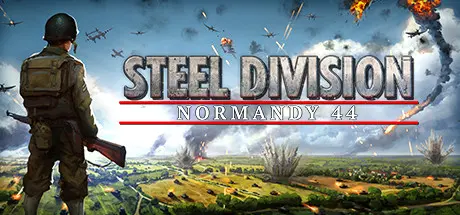
Steel Division: Normandy 44

Featured Replies

Steel Division: Normandy 44 cover art

Steel Division: Normandy 44 Game Details

Release Name:ย Steel Division: Normandy 44

Game Version:ย v300102836 | Build 8198801

Release Date: 23 May, 2017

Publisher: Eugen Systems

Developer: Eugen Systems

Based On:ย CSF & Goldberg

Steel Division: Normandy 44 Direct Download - Game Overview

Whether fighting for control in intense multiplayer battles with up to 10-vs-10 players going head-to-head, playing alone or working with friends in ranked matches, players will need to coordinate their selection of historically accurate infantry, tanks, aircraft, and support vehicles to counter enemy units in this Tactical RTS game.

Battles rage over three distinct phases, where different units unlock over time, mimicking the movements of real-world armies and adding variety to the ever-changing theatre of war. A dynamic front line illustrates the ebb and flow of the conflict. Pin down your opponent's infantry to gain the advantage and force a retreat, or push through with a perfectly executed plan.

Using the latest version of Eugenโ€™s IRISZOOM engine, players can smoothly zoom from a tactical aerial view all the way down to a single unit, and see 400 different real-world vehicles and units designed with careful historical detail and accuracy. Maps are designed based on actual aerial reconnaissance photos of Normandy in 1944, requiring real-world tactics and strategies to cover and control.

From battlegroup customization to troop positioning and maneuvering, winning battles requires cunning and strategy, not just raw firepower. Each unit lost presents a growing tactical disadvantage, and players will need to fight to gain -- and keep -- the upper hand. From commanding historically accurate infantry, tanks, and vehicles, to troop positioning and real-time engagement with the enemy, players will need to be clever and resourceful in order to win. Every unit counts as the battle presses on, and raw firepower alone will not be enough to claim victory. Whether viewing the entire battle from an aerial perspective, or following a single tank into a firefight, players will need to cleverly manage the dynamic front line in order to execute ambushes and advances.

Steel Division: Normandy 44 is a Tactical Real-Time Strategy (RTS) game, developed by Eugen Systems, the creators of titles like Wargame and R.U.S.E. This new game puts players in command of detailed, historically accurate tanks, troops, and vehicles at the height of World War II. Players can measure their tactical skills against several opponents in big multiplayer battles or against enemies in a challenging single-player campaign. Steel Division: Normandy 44 allows players to take control over legendary military divisions from six different countries, such as the American 101st Airborne, the German armored 21st Panzer or the 3rd Canadian Division, during the invasion of Normandy in 1944.


Steel Division: Normandy 44 Screenshots

Steel Division: Normandy 44 screenshot 1 Steel Division: Normandy 44 screenshot 2 Steel Division: Normandy 44 screenshot 3 Steel Division: Normandy 44 screenshot 4


Steel Division: Normandy 44 Trailer


Steel Division: Normandy 44 System Requirements

Minimum Requirements

Recommended Requirements

OS

64-bit Windows 10 / 8.1 / 7 with Service Pack 1

64-bit Windows 10 / 8.1 / 7 with Service Pack 1

Processor

Intel Core i3-2100 (3.1 GHz) or equivalent

Intel i5-2300 or equivalent

Memory

3 GB RAM

4 GB RAM

Graphics

1 GB AMD 5570 or nVidia 450

2GB AMD 7970 or nVidia 770 or greater

DirectX

Version 11

Version 11

Storage

32 GB available space

32 GB available space


How to Install Steel Division: Normandy 44

  1. No Installation Needed: The game is pre-installed. Just download and extract.

  2. Extract: Right-click the .zip or .rar file and select "Extract Here" or "Extract to folder".

  3. Run: Find SteelDivision.exe inside the folder and run it.

Game Data & Settings

  • Change Language: Edit the file located at steam_settings/Configs.user.ini

Important Notes

DLC List

Added DLCs

Steel Division: Normandy 44 - Back to Hell

Steel Division: Normandy 44 - Deluxe Edition Upgrade Pack (DE)

Steel Division: Normandy 44 - Deluxe Edition Upgrade Pack

Steel Division: Normandy 44 - Second Wave

Steel Division: Normandy 44 - Battle Log

Steel Division: Normandy 44 - Ring tones

Steel Division: Normandy 44 - Streaming Overlays

Steel Division: Normandy 44 - Art Book

Steel Division: Normandy 44 - Wallpapers

Steel Division: Normandy 44 - Tactical Guide

Steel Division: Normandy 44 - DDE Aces

Steel Division: Normandy 44 - Pre-order Aces

Steel Division: Normandy 44 - Sign up bonus content

Steel Division: Normandy 44 - German Historical Content Pack

Steel Division: Graphics mod package

Steel Division: Modding package

๐Ÿ”ฅDOWNLOAD AREA๐Ÿ”ฅ

๐Ÿ”น31.94 GB๐Ÿ”น

Select the server you want to download with ZeiLink.

Download

  • Views 268
  • Created
  • Last Reply

Posted Images

Create an account or sign in to comment

Recently Browsing 0

  • No registered users viewing this page.

Account

Navigation

Search

Search

๐Ÿ”Ž Search Tip
For exact results, search using "game name" .
Without quotes, results may include unrelated titles.

Configure browser push notifications

Chrome (Android)
  1. Tap the lock icon next to the address bar.
  2. Tap Permissions โ†’ Notifications.
  3. Adjust your preference.
Chrome (Desktop)
  1. Click the padlock icon in the address bar.
  2. Select Site settings.
  3. Find Notifications and adjust your preference.
