



Skip to content
View in the app

A better way to browse. Learn more.

ZeiGames

A full-screen app on your home screen with push notifications, badges and more.

To install this app on iOS and iPadOS
  1. Tap the Share icon in Safari
  2. Scroll the menu and tap Add to Home Screen.
  3. Tap Add in the top-right corner.
To install this app on Android
  1. Tap the 3-dot menu (โ‹ฎ) in the top-right corner of the browser.
  2. Tap Add to Home screen or Install app.
  3. Confirm by tapping Install.

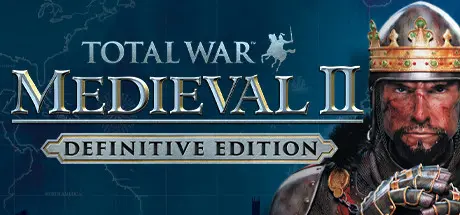
Total War: MEDIEVAL II โ€“ Definitive Edition Free Download (Build 14011529 + Total War Kingdoms DLC)
Featured Replies

header.webp

Game Details

Release Name:ย Total War: MEDIEVAL II โ€“ Definitive Edition

Game Version:ย Build 14011529

Release Date: 15 Nov, 2006

Publisher: SEGA, Feral Interactive (Mac), Feral Interactive (Linux)

Developer: CREATIVE ASSEMBLY, Feral Interactive (Mac), Feral Interactive (Linux)

Based On:ย CSF & Goldberg

Total War: MEDIEVAL II โ€“ Definitive Edition Direct Download - Game Review

Take command of your army and expand your reign in Total War: MEDIEVAL II - the fourth instalment of the award-winning Total War series of strategy games. Direct massive battles featuring up to 10,000 bloodthirsty troops on epic 3D battlefields, while presiding over some of the greatest Medieval nations of the Western and Middle Eastern world.

Spanning the most turbulent era in Western history, your quest for territory and power takes you through Europe, Africa, and the Middle East, and even onto the shores of the New World.

You'll manage your empire with an iron fist, handling everything from building and improving cities to recruiting and training armies. Wield diplomacy to manipulate allies and enemies, outsmart the dreaded Inquisition, and influence the Pope. Lead the fight in the Crusades and bring victory to Islam or Christianity in the Holy War.
Rewrite history and conquer the world. This is Total War!

โ€ข Bigger and better real-time battles. Improved combat choreography, larger armies, quicker pace, and spectacular finishing moves make this the most visceral and exciting Total War ever.
โ€ข New epic campaign. The ambitious single player campaign will span three continents and let players sail across to the Americas to confront the Aztecs on their home soil.
โ€ข Greater accessibility. An enhanced user interface and optional shorter campaigns make the Total War experience faster and easier to enjoy than ever before.
โ€ข Over 40 new features. An advanced terrain system, enhanced weather effects, and more will help you divide and conquer.
โ€ข Intense Multiplayer Battles. Wage war against other players in 8-way multiplayer games.


Game Screenshots

screenshot screenshot screenshot screenshot


Game Trailer


System Requirements

Minimum Requirements

Recommended Requirements

OS

-

-

Processor

-

-

Memory

-

-

Graphics

-

-

DirectX

-

-

Storage

-

-


Installation Guide

  1. No Installation Needed: The game is pre-installed. Just download and extract.

  2. Extract: Right-click the .zip or .rar file and select "Extract Here" or "Extract to folder".

  3. Run: Find Launcher.exe inside the folder and run it.

  4. How to Play other Mods?: Open ColdClientLoader.ini file and add this code ExeCommandLine=--features.mod=mods/americas [Medieval II: Total War Americas] ExeCommandLine=--features.mod=mods/british_isles [Medieval II: Total War Britannia] ExeCommandLine=--features.mod=mods/crusades [Medieval II: Total War Crusades] ExeCommandLine=--features.mod=mods/teutonic[Medieval II: Total War Teutonic]

Game Data & Settings

  • Change Language: Download LANGUAGES files and move the main game folder.

Important Notes

๐Ÿ”ฅDOWNLOAD AREA๐Ÿ”ฅ

๐Ÿ”น12.34 GB๐Ÿ”น

Select the server you want to download with ZeiLink.

Download

  • DicDale changed the title to Total War: MEDIEVAL II โ€“ Definitive Edition Free Download (Build 14011529 + Total War Kingdoms DLC)

  • Views 978
  • Created
  • Last Reply

Posted Images

Create an account or sign in to comment

Recently Browsing 0

  • No registered users viewing this page.

Account

Navigation

Search

Search

๐Ÿ”Ž Search Tip
For exact results, search using "game name" .
Without quotes, results may include unrelated titles.

Configure browser push notifications

Chrome (Android)
  1. Tap the lock icon next to the address bar.
  2. Tap Permissions โ†’ Notifications.
  3. Adjust your preference.
Chrome (Desktop)
  1. Click the padlock icon in the address bar.
  2. Select Site settings.
  3. Find Notifications and adjust your preference.