



Skip to content
View in the app

A better way to browse. Learn more.

ZeiGames

A full-screen app on your home screen with push notifications, badges and more.

To install this app on iOS and iPadOS
  1. Tap the Share icon in Safari
  2. Scroll the menu and tap Add to Home Screen.
  3. Tap Add in the top-right corner.
To install this app on Android
  1. Tap the 3-dot menu (⋮) in the top-right corner of the browser.
  2. Tap Add to Home screen or Install app.
  3. Confirm by tapping Install.

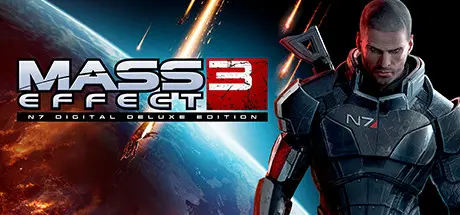
Mass Effect 3 N7 Digital Deluxe Edition (2012) Free Download (Build 10351584 + ALL DLC)
Featured Replies

header

Game Details

Release Name: Mass Effect 3 N7 Digital Deluxe Edition (2012)

Game Version: Build 10351584

Release Date: 11 Jun, 2020

Publisher: Electronic Arts

Developer: BioWare

Based On: CSF & RELOADED

Mass Effect 3 N7 Digital Deluxe Edition (2012) Direct Download - Game Review

Earth is burning. The Reapers have taken over, and other civilizations are falling like dominoes. Lead the final fight to save humanity and take back Earth from these terrifying machines, Commander Shepard. You’ll need backup for these battles. Fortunately, the galaxy has a habit of sending unexpected species your way. Recruit team members and forge new alliances, but be prepared to say goodbye at any time as partners make the ultimate sacrifice. It’s time for Commander Shepard to fight for the fate of the human race and save the galaxy. No pressure, Commander.

Fight smarter. Take advantage of new powers and combat moves. Shepard can now blind-fire at enemies and build tougher melee attacks. Plus, when you fight as a team, you can combine new biotic and tech powers to unleash devastating Power Combos.

Build the final force. Build a team from a variety of races and classes, and combine their skills to overcome impossible odds. You’ll be joined by newcomers like James Vega, a tough-as-nails soldier, as well as EDI, a trusted AI in a newly acquired physical form. Keep an eye out for beloved characters from your past, but beware. Some may not survive the final battle….


Game Screenshots

screenshot screenshot screenshot screenshot


Game Trailer


System Requirements

Minimum Requirements

Recommended Requirements

OS

Win 7

Win 7

Processor

1.8 GHz Intel Core 2 Duo (equivalent AMD CPU)

2.4 GHz Intel Core 2 Duo (equivalent AMD CPU)

Memory

2 GB RAM

4 GB RAM

Graphics

Supported chipsets: NVIDIA 7900 or better; ATI X1800 or better. Please note that NVIDIA GeForce 9300, 8500, 8400, and 8300 are below minimum system requirements, as are AMD/ATI Radeon HD3200, HD3300, and HD4350. Updates to your video and sound card drivers may be required.

AMD/ATI Radeon HD 4850 512 MB or greater / NVidia GeForce 9800 GT 512 MB or greater

DirectX

Version 9.0c

Version 9.0c

Storage

15 GB available space

15 GB available space


Installation Guide

  1. No Installation Needed: The game is pre-installed. Just download and extract.

  2. Extract: Right-click the .zip or .rar file and select "Extract Here" or "Extract to folder".

  3. Run: Find Binaries/Win32/MassEffect3.exe inside the folder and run it.

Important Notes

DLC List

Added DLCs

Mass Effect 3 Rebellion

Mass Effect 3 Genesis 2

Mass Effect 3 Firefight Pack

Mass Effect 3 Leviathan

Mass Effect 3 Reckoning

Mass Effect 3 From Ashes (DLC Bundle) - Key

Mass Effect 3 Omega

Mass Effect 3 Resurgence

Mass Effect 3 Retaliation

Mass Effect 3 Groundside Resistance Pack

Mass Effect 3 N7 Warfare Gear

Mass Effect 3 Earth

Mass Effect Trilogy Art

Mass Effect 3 Alternate Appearance Pack 1

Mass Effect 3 Citadel

Mass Effect 3 Mass Effect 3 Soundtrack

Mass Effect 3 Extended Cut

Mass Effect 3 N7 Collector's Edition Materials

Mass Effect 3 From Ashes

Mass Effect 3 Digital Books

Mass Effect 3 N7 Digital Deluxe Edition - Key

Mass Effect 3 DLC Bundle

🔥DOWNLOAD AREA🔥

🔹22.16 GB🔹

Select the server you want to download with ZeiLink.

Download

header.webp

  • Replies 1
  • Views 690
  • Created
  • Last Reply

Top Posters In This Topic

Posted Images

Create an account or sign in to comment

Recently Browsing 0

  • No registered users viewing this page.

Account

Navigation

Search

Search

🔎 Search Tip
For exact results, search using "game name" .
Without quotes, results may include unrelated titles.

Configure browser push notifications

Chrome (Android)
  1. Tap the lock icon next to the address bar.
  2. Tap Permissions → Notifications.
  3. Adjust your preference.
Chrome (Desktop)
  1. Click the padlock icon in the address bar.
  2. Select Site settings.
  3. Find Notifications and adjust your preference.
