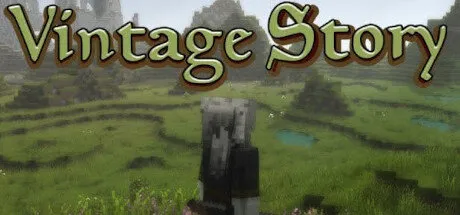
January 18Jan 18 Vintage Story Game DetailsRELEASE NAME: Vintage StoryGAME VERSION: v1.21.6BASED ON: Kirigiri'sVintage Story Direct Download - Game ReviewVintage Story is an uncompromising wilderness survival sandbox game inspired by eldritch horror themes. Find yourself in a ruined world reclaimed by nature and permeated by unnerving temporal disturbances. Relive the advent of human civilization, or take your own path.Progress through multiple agesStart out empty-handed in the stone age and learn to survive by foraging, hunting, crafting, and fighting. Live through the four seasons and advance further by smelting copper for more powerful tools, creating bronze alloys, learning to work iron, mechanize common tasks and ultimately reach the steel age.A wicked universe backed by original story elementsTake on the role of a lost being in the body of a tall blue creature and discover the remnants of civilization. There is no linear storytelling; it is up to you to piece together who you are and what has happened from the little evidence that remains. During your journey you will encounter wayward creatures, find old stories, battle temporal instability, and endure temporal storms.One million square kilometers of procedurally generated landscapesEnter a vast open world populated by a range of cute, strange, dangerous, and horrifying creatures. Vintage Story utilizes a great deal of procedural technology to create immensely diverse landscapes, climate conditions, and geological features to always keep exploration fresh and exciting.Not just hardcore!Vintage Story offers multiple playstyles and a huge amount of customization options when you create a new game world. You have the power to choose a creative experience, a peaceful world, balanced survival, hardcore wilderness survival or quite literally anything inbetween.Unreal world simulationHaving undergone 9 years of continuous development the VS game engine now fully and believably simulates seasons, soil fertility, rock strata, localized weather patterns, rain, snowfall & snow accumulation, hail, realistic climate distributions, food spoilage, body temperature, animal husbandry, farming, block physics, inspiring sunsets and nightskies, mineralogy, knapping, clayforming, metallurgy, smithing, microblock editing and moreInspired by NatureVintage Story is heavily inspired by natural processes of the real world and brings them into the game in a fun and enjoyable way. Our aim is to capture the beauty of the natural world and amplify the experience within our game.Vintage Story ScreenshotsVintage Story TrailerVintage Story System RequirementsOSWindows 7Processor2nd Generation Intel Core i3/i5 with at least 2 ThreadsMemory8 GBGraphicsGTX 440Storage3 GBHow to Install Vintage StoryNo Installation Needed: The game is pre-installed. Just download and extract.Extract: Right-click the .zip or .rar file and select "Extract Here" or "Extract to folder".Run: Find Vintagestory.exe inside the folder and run it.Note: if you get the invalid data player join, go on the main menu, press logout and press play again, it's a common issue with the game!🔥DOWNLOAD AREA🔥🔹616 MB🔹Select the server you want to download with ZeiLink.Download





Create an account or sign in to comment