



Skip to content
View in the app

A better way to browse. Learn more.

ZeiGames

A full-screen app on your home screen with push notifications, badges and more.

To install this app on iOS and iPadOS
  1. Tap the Share icon in Safari
  2. Scroll the menu and tap Add to Home Screen.
  3. Tap Add in the top-right corner.
To install this app on Android
  1. Tap the 3-dot menu (⋮) in the top-right corner of the browser.
  2. Tap Add to Home screen or Install app.
  3. Confirm by tapping Install.

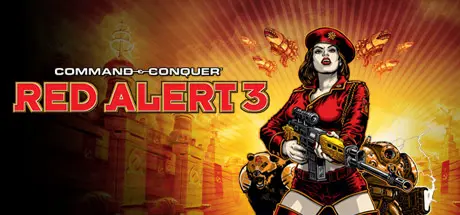
Command & Conquer Red Alert 3 Free Download (Build 17448318)
Featured Replies

header.webp

Game Details

Release Name: Command & Conquer Red Alert 3

Game Version: Build 17448318

Release Date: 8 Jan, 2009

Publisher: Electronic Arts

Developer: EA Los Angeles

Based On: CSF & Goldberg

Command & Conquer Red Alert 3 Direct Download - Game Review

The desperate leadership of a doomed Soviet Union travels back in time to change history and restore the glory of Mother Russia. The time travel mission goes awry, creating an alternate timeline where technology has followed an entirely different evolution, a new superpower has been thrust on to the world stage, and World War III is raging. The Empire of the Rising Sun has risen in the East, making World War III a three-way struggle between the Soviets, the Allies, and the Empire with armies fielding wacky and wonderful weapons and technologies like Tesla coils, heavily armed War Blimps, teleportation, armored bears, intelligent dolphins, floating island fortresses, and transforming tanks.

  • Star-Studded Storytelling– Command & Conquer's trademark live-action videos return in HD, with over 60 minutes of footage featuring the largest cast in the history of the Command & Conquer franchise.

  • Command the Seas, Conquer the World– Experience Gameplay as for the first time in the series, waging war on the water will be every bit as important as dominating by land and air. Gain strategic advantages by controlling resources in the seas and mounting three-pronged attacks from all directions.

  • Ready your Man Cannons!– Armored War Bears, and Anime-inspired psychic school girls join your favorite Red Alert units like Sonic Dolphins, Tesla Troopers, Attack Dogs, and the ever popular Tanya.

  • A New Threat From the East– The deadly Empire of the Rising Sun is a technological terror, with designs influenced by a mixture of anime, science-fiction, martial arts and robot culture. The Empire's futuristic units can transform into alternate forms, and they specialize in naval warfare.


Game Screenshots

screenshot screenshot screenshot screenshot


Game Trailer


System Requirements

Minimum Requirements

Recommended Requirements

OS

Microsoft Windows® XP SP2, Windows Vista (32-bit)

-

Processor

Any Intel Core Duo machine; XP: Intel Pentium 4 2.2 GHz or better, AMD Athlon XP 2100+ or better; Vista: Intel Pentium 4 2.6 GHz or better, AMD Athlon XP 2800+ or better

-

Memory

1 GB RAM

-

Graphics

DirectX® 9.0c compatible video card, NVIDIA GeForce 6800 or better, ATI Radeon X800 or better

-

DirectX

-

-

Storage

At least 10 GB of free space

-


Installation Guide

  1. No Installation Needed: The game is pre-installed. Just download and extract.

  2. Extract: Right-click the .zip or .rar file and select "Extract Here" or "Extract to folder".

  3. Run: Find RA3.exe inside the folder and run it.

Game Data & Settings

  • Change Language: Move the language fils in LANGUAGES folder to main game folder.

  • Save Data Location: %USERPROFILE%/AppData/Roaming/Red Alert 3

Important Notes

🔥DOWNLOAD AREA🔥

🔹16.31 GB🔹

Select the server you want to download with ZeiLink.

ALL Languages Included.

Download

  • Replies 3
  • Views 493
  • Created
  • Last Reply

Top Posters In This Topic

Most Popular Posts

  • DicDale
    DicDale

    Try create a shortcut RA3.exe and add -ui command.

  • Shnkstr
    Shnkstr

    That worked! It opened a launcher where I can select the language... thank you sir!

Posted Images

Hey, i copied the language i needed to the main folder, changed the language=english to language=czech and the game is still english :/ any tips how can I fix it ?

That worked! It opened a launcher where I can select the language... thank you sir!

Create an account or sign in to comment

Recently Browsing 0

  • No registered users viewing this page.

Account

Navigation

Search

Search

🔎 Search Tip
For exact results, search using "game name" .
Without quotes, results may include unrelated titles.

Configure browser push notifications

Chrome (Android)
  1. Tap the lock icon next to the address bar.
  2. Tap Permissions → Notifications.
  3. Adjust your preference.
Chrome (Desktop)
  1. Click the padlock icon in the address bar.
  2. Select Site settings.
  3. Find Notifications and adjust your preference.
