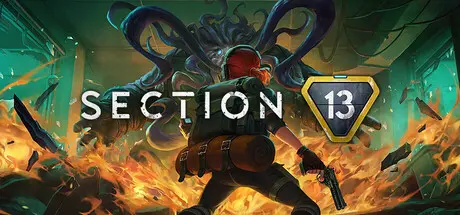
January 6Jan 6 Section 13 Game DetailsRelease Name: Section 13Game Version: v1.1.0 | Build 19766501Release Date: 26 May, 2025Publisher: Ocean Drive Studio, Inc., Kakao GamesDeveloper: Ocean Drive Studio, Inc.Based On: CSF & GoldbergSection 13 Direct Download - Game OverviewSection 13 is a roguelite twin-stick shooter that can be played solo or in a group of up to 3 players (crossplay not supported). As an Agent of the S2P Corporation, it’s up to you to investigate a crisis at the most top-secret facility of a company whose whole thing is keeping secrets.Step into the shoes of Agents Red, Boy Scout, Beaker, and Scalpel, as they fight to unearth the buried secrets of Section 13… and solve a few personal mysteries of their own. Collect data on paranormal entities running amok and find out what it all has to do with you.When an Omega-level containment breach puts an off-the-books company black-site on lockdown, it’s up to a small team of expendable peons to get to the bottom of it. Literally.Tackle the mission solo or with up to two squad-mates. And with optional friendly fire, it’s up to you whether you’d like a more forgiving experience, or chaotic fun with mad-science weapons.As a Tier-1 paranormal containment facility, Section 13 is full of unique hazards, and it's up to you to overcome them with quick wits and reflexes.Time your dodge-rolls and reloads to stay one step ahead of a horde of hungry monsters. Back against the wall? Pop off with a special ability… or grab a melee weapon and smash your way out.But keep an eye on your Fear level, or risk a debilitating mid-mission panic attack!Add some spice to every run with unlockable (and customizable) weapons, gameplay-altering Synaptic Enhancements, and of course, recreational genetic modification. (Some side effects may apply).Utilize special abilities and unique tactical items to outsmart pissed-off cryptids, navigate a series of shifting levels, and push deeper into the base with every attempt.Between deaths, you’ll also unlock persistent upgrades that change how you play and radically alter your chances of success.Section 13 Screenshots Section 13 TrailerSection 13 System Requirements Minimum RequirementsRecommended Requirements OSWindows 10 x64Windows 10 x64 ProcessorIntel(R) Core(TM) i3 or AMD equivalentIntel(R) Core(TM) i5 or AMD equivalent Memory8 GB RAM16 GB RAM GraphicsGeForce GTX 960 or Radeon equivalent with 2 GB VRAMGeForce GTX 1070 or Radeon equivalent with 4GB VRAM DirectXVersion 11Version 12 Storage10 GB available space10 GB available space How to Install Section 13No Installation Needed: The game is pre-installed. Just download and extract.Extract: Right-click the .zip or .rar file and select "Extract Here" or "Extract to folder".Run: Find Section13.exe inside the folder and run it.Multiplayer & Online (Optional)Play Online: Download the Online Fix file and apply it to the game folder.Please go to the online fix page and read the guide.Game Data & SettingsChange Language: Edit the file located at steam_settings/Configs.user.iniSave Data Location: %USERPROFILE%/AppData/Local/BPClient\Saved\SaveGamesImportant NotesTo support the Game Developer, Get It On Steam.🔥DOWNLOAD AREA🔥🔹3.21 GB🔹Select the server you want to download with ZeiLink.DownloadOnline Fix - (RAR pass: zeigames.com)





Create an account or sign in to comment