



Theme
Language

Layout
Skip to content
View in the app

A better way to browse. Learn more.

ZeiGames

A full-screen app on your home screen with push notifications, badges and more.

To install this app on iOS and iPadOS
  1. Tap the Share icon in Safari
  2. Scroll the menu and tap Add to Home Screen.
  3. Tap Add in the top-right corner.
To install this app on Android
  1. Tap the 3-dot menu (โ‹ฎ) in the top-right corner of the browser.
  2. Tap Add to Home screen or Install app.
  3. Confirm by tapping Install.

Director of Management: Football Club Free Download (v0.92.54)
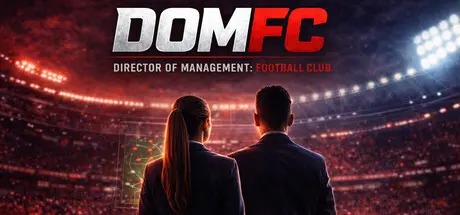
Director of Management: Football Club

Featured Replies

Director of Management: Football Club cover art

Director of Management: Football Club Game Details

Release Name:ย Director of Management: Football Club

Game Version:ย v0.92.54 | Build 24699222

Release Date: 10 Aug, 2026

Publisher: Rusthorn

Developer: Rusthorn

Based On:ย CSF & Goldberg

Director of Management: Football Club Direct Download - Game Overview

Most football management games put you in one job.

DOMFC gives you four.

Build the sporting operation.

Hire and fire managers.

Control recruitment.

Negotiate transfers and contracts.

Build scouting networks.

Develop the academy.

Recruit football staff.

Set budgets and long-term sporting priorities.

Your manager decides how the team plays.

You decide what kind of football operation they inherit.

Build a structure that survives individual managers, players, and seasons.

Run the institution.

Control investment.

Set financial priorities.

Hire senior leadership.

Approve major spending.

Develop facilities.

Shape the club's long-term direction.

Deal with financial pressure, boardroom decisions, supporters, reputation, and the consequences of ownership.

You can build a dynasty.

You can bleed a club dry.

You can chase trophies at any cost.

Or you can try to build something that lasts.

The club is yours.

So are the consequences.

  • Government interference

  • Political pressure

  • Federation leadership struggles

  • Corruption allegations

  • Financial disputes

  • International sanctions

  • Eligibility disputes

  • Hosting controversies

  • Security problems

  • Discrimination

  • Supporter unrest

  • Institutional scandals

  • Diplomatic tensions

  • Governance failures

  • Conflicts between clubs, leagues, and federations

  • Pressure surrounding major competitions

A federation can win on the pitch and still fail everywhere else.

A decision made today can shape the football system years later.


Director of Management: Football Club Screenshots

Director of Management: Football Club screenshot 1 Director of Management: Football Club screenshot 2 Director of Management: Football Club screenshot 3 Director of Management: Football Club screenshot 4


Director of Management: Football Club System Requirements

Minimum Requirements

Recommended Requirements

OS

Windows 10

-

Processor

Any modern CPU

-

Memory

4 GB RAM

-

Graphics

Integrated graphics

-

DirectX

-

-

Storage

6 GB available space

-


How to Install Director of Management: Football Club

  1. No Installation Needed: The game is pre-installed. Just download and extract.

  2. Extract: Right-click the .zip or .rar file and select "Extract Here" or "Extract to folder".

  3. Run: Find DOMFC.exe inside the folder and run it.

Game Data & Settings

  • Change Language: Edit the file located at steam_settings/Configs.user.ini

Important Notes

๐Ÿ”ฅDOWNLOAD AREA๐Ÿ”ฅ

๐Ÿ”น571 MB๐Ÿ”น

Select the server you want to download with ZeiLink.

Download

  • Replies 1
  • Views 202
  • Created
  • Last Reply

Top Posters In This Topic

Most Popular Posts

Posted Images

Create an account or sign in to comment

Recently Browsing 0

  • No registered users viewing this page.

Account

Navigation

Search

Search

๐Ÿ”Ž Search Tip
For exact results, search using "game name" .
Without quotes, results may include unrelated titles.

Configure browser push notifications

Chrome (Android)
  1. Tap the lock icon next to the address bar.
  2. Tap Permissions โ†’ Notifications.
  3. Adjust your preference.
Chrome (Desktop)
  1. Click the padlock icon in the address bar.
  2. Select Site settings.
  3. Find Notifications and adjust your preference.
