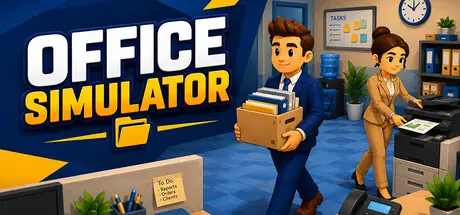
December 29, 2025Dec 29 Office Simulator Game DetailsRelease Name: Office SimulatorGame Version: v1.2.0 | Build 22007446Release Date: 18 Dec, 2025Publisher: Tzn GamesDeveloper: Tzn GamesBased On: CSF & GoldbergOffice Simulator Direct Download - Game OverviewOffice Simulator is a comprehensive business simulation game that lets you experience every aspect of office life from daily tasks and employee management to office customization and company growth.Start as an intern and handle real office tasks from meetings and emails to document delivery and coffee runs. Gain experience, get promoted, and climb the corporate ladder to build and grow your own company.Upgrade your office with new furniture and equipment to increase productivity and efficiency. Boost employee performance, expand your workspace with new rooms, paint walls, change floors, and fully customize your office. Build the perfect workplace and shape your company your way.Distribute tasks from awarded bids among your employees and delegate responsibilities to assistants. Develop and customize your workforce, analyze bids, and choose the most profitable projects to grow your company strategically.Keep your character energized with coffee and timely breaks, restock office supplies, and repair electronic devices as they wear out. Ignore these needs, and productivity will suffer.Keep your employees happy by bringing them coffee and helping them with their tasks when they need support. A motivated team works faster and performs better.Office Simulator Screenshots Office Simulator TrailerOffice Simulator System Requirements Minimum RequirementsRecommended Requirements OSWindows (64-bit) 10Windows (64-bit) 10 Processori5 3550 / RYZEN 5 2500Xi5 7600K / Ryzen 5 2600x Memory4 GB RAM8 GB RAM GraphicsNVIDIA GTX 1050 / AMD R9 270XNVIDIA GTX 1060 / AMD RX 480 DirectXVersion 11Version 11 Storage5 GB available space5 GB available space How to Install Office SimulatorNo Installation Needed: The game is pre-installed. Just download and extract.Extract: Right-click the .zip or .rar file and select "Extract Here" or "Extract to folder".Run: Find Office Simulator.exe inside the folder and run it.Game Data & SettingsChange Language: Edit the file located at steam_settings/Configs.user.iniSave Data Location: %USERPROFILE%/AppData/LocalLow/Tzn Games\Office SimulatorImportant NotesTo support the Game Developer, Get It On Steam.🔥DOWNLOAD AREA🔥🔹662 MB🔹Select the server you want to download with ZeiLink.Download





Create an account or sign in to comment