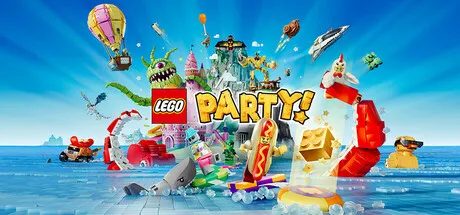
October 3, 2025Oct 3 LEGO Party! Game DetailsRelease Name: LEGO® Party!Game Version: v1.5.0 | Build 22704810Release Date: 30 Sep, 2025Publisher: FictionsDeveloper: SMG StudioBased On: CSF & GoldbergLEGO® Party! Direct Download - Game ReviewLEGO® Party! is a 4-player party game that's built different! Compete against your friends in wacky Challenge Zones and 60 hilarious minigames from across your favorite LEGO sets like LEGO Pirates, LEGO Space, LEGO NINJAGO® and more.Join your friends online no matter their platform, or get together for a LEGO Party game night. With multiple game modes and tons of minifigures to unlock, you’ll have all the bricks to build the ultimate party!Challenge players near or far, customize your character and compete in a variety of awesome minigames to get as many Golden Bricks as you can, by any means necessary! But beware, watch out for monsters, traps and flying roast turkeys on your way to become the next star of LEGO Party!LEGO Party! Screenshots LEGO Party! TrailerLEGO Party! System RequirementsMinimum RequirementsRecommended RequirementsOS--Processor--Memory2 GB RAM4 GB RAMGraphics--DirectX--Storage800 MB available space2 GB available spaceHow to Install LEGO Party!No Installation Needed: The game is pre-installed. Just download and extract.Extract: Right-click the .zip or .rar file and select "Extract Here" or "Extract to folder".Run: Find LEGO® Party!.exe inside the folder and run it.Multiplayer & Online (Optional)Play Online: Download the Online Fix file and apply it to the game folder.Sign in to your Steam account.Add this game steam library and download 1-5 seconds: https://store.steampowered.com/app/291550/Brawlhalla/Or you can paste this code Win+R (steam://install/291550)Start the LEGO Party.exe inside the game folder.Create a Local Game and invite your friend REMOTE PLAY.To invite your friends, you must be friends on steam.Game Data & SettingsChange Language: Edit the file located at steam_settings/Configs.user.iniSave Data Location: %USERPROFILE%/AppData/LocalLow/SMG/LEGO® Party!/Important NotesTo support the Game Developer, Get It On Steam.DLC ListAdded DLCsLEGO® Party! - Pre-Order Bonus🔥DOWNLOAD AREA🔥🔹7.06 GB🔹Select the server you want to download with ZeiLink.DownloadOnline Fix - (RAR pass: zeigames.com)
December 1, 2025Dec 1 Hey,there is no Game called "Cube Racer" on Steam to play Lego Party.There is only a Cube Racer DLC and Cube Racer 2.What to do now ?
December 2, 2025Dec 2 Author 13 hours ago, Nachtschatten92 said:Hey,there is no Game called "Cube Racer" on Steam to play Lego Party.There is only a Cube Racer DLC and Cube Racer 2.What to do now ?I changed the online fix Brawlhalla, just add the Brawlhalla game on steam library and start the game
December 2, 2025Dec 2 13 hours ago, DicDale said:I changed the online fix Brawlhalla, just add the Brawlhalla game on steam library and start the game Thank You, I don´t know why, but i copied everything from the Online Fix Folder to the Main Game folder, a Window is showing up for a few Seconds and then it closes and that´s it. If i don´t use the Online Fix the Game runs fine. Do we need an Update on the Online Fix or an Update for the Main Game
December 21, 2025Dec 21 is it already updated? i downloaded yesterday, but when i want to paly online its syas need to update game client
December 22, 2025Dec 22 3 hours ago, DicDale said:Game Updated v1.3.0 | Build 21153865Thank you very much!





Create an account or sign in to comment