



Skip to content
View in the app

A better way to browse. Learn more.

ZeiGames

A full-screen app on your home screen with push notifications, badges and more.

To install this app on iOS and iPadOS
  1. Tap the Share icon in Safari
  2. Scroll the menu and tap Add to Home Screen.
  3. Tap Add in the top-right corner.
To install this app on Android
  1. Tap the 3-dot menu (โ‹ฎ) in the top-right corner of the browser.
  2. Tap Add to Home screen or Install app.
  3. Confirm by tapping Install.

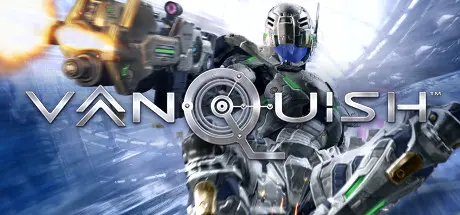
Vanquish Free Download (Build 1955411 + Deluxe Edition)
Featured Replies

header.webp

Game Details

Release Name:ย Vanquish

Game Version:ย Build 1955411

Release Date: 25 May, 2017

Publisher: SEGA

Developer: PlatinumGames, Little Stone Software

Based On:ย CSF & Goldberg

Vanquish Direct Download - Game Review

From master director Shinji Mikami of Resident Evil fame, SEGA brings PlatinumGamesโ€™ revolutionary sci-fi action shooter to PC. Unlocked framerate, unlocked HD resolutions, extensive graphics options: the definitive way to play. War has accelerated.

Gear up in the Augmented Reaction Suit as government operative Sam Gideon and become the ultimate weapon. Combine unrivalled firepower with superhuman speed and agility to take down a huge variety of deadly robots

  • Fast, fluid and frenetic combat โ€“ PlatinumGames bring their signature action mechanics to the shooter genre: boosting, evading, Augmented Reaction mode, and more

  • Kinetic melee moves โ€“ unique offensive and defensive moves that vary with your loadout

  • Deadly firepower โ€“ command a vast arsenal of high-tech weapons, including all DLC weapons

  • Legions of enemies โ€“ a huge variety of enemies to take down, from robot grunts to epic giant boss battles, all with smart AI


  • Spectacular environments โ€“ fight your way through SC-01 Providence space colony, high-tech sci-fi battleground of the future

  • Challenge and competition โ€“ race to the top of the online leaderboards with a rewarding scoring system and multiple difficulty modes that ensure challenging replayability

  • Full Steam Support โ€“ Steam Achievements, Steam Cloud Save, Trading Cards, and Big Picture Mode

  • Unlocked resolutions โ€“ play at 4K and beyond

  • Unlocked framerates โ€“ push it as far as your rig will take you; PC gaming at its most liberating

  • Enhanced PC graphical options โ€“ anti-aliasing, anisotropic filtering, SSAO lighting, scalable texture and shadow quality, post-processing effects and more

  • Full EFIGS + Japanese support โ€“ voice overs, subtitles, and game menus in any language combination


Game Screenshots

screenshot screenshot screenshot screenshot


Game Trailer


System Requirements

Minimum Requirements

Recommended Requirements

OS

Microsoft Windows 7 / 8 (8.1) / 10

OS: Microsoft Windows 7 / 8 (8.1) / 10

Processor

Intel Core i3 (2.9 GHz) or AMD equivalent

Intel Core i5 (3.4 GHz) or AMD equivalent

Memory

4 GB RAM

8 GB RAM

Graphics

Dx9 compliant video card with 1 GB VRAM (Nvidia GeForce 460 or AMD Radeon 5670)

Dx11 compliant video card with 2 GB RAM (Nvidia GeForce 660 Ti or AMD Radeon R9 270)

DirectX

Version 9.0c

Version 9.0c

Storage

20 GB available space

20 GB available space


Installation Guide

  1. No Installation Needed: The game is pre-installed. Just download and extract.

  2. Extract: Right-click the .zip or .rar file and select "Extract Here" or "Extract to folder".

  3. Run: Find Vanquish.exe inside the folder and run it.

Game Data & Settings

  • Change Language: Edit the file located at steam_settings/Configs.user.ini

Important Notes

๐Ÿ”ฅDOWNLOAD AREA๐Ÿ”ฅ

๐Ÿ”น16.67 GB๐Ÿ”น

Select the server you want to download with ZeiLink.

Download

  • Views 1.2k
  • Created
  • Last Reply

Posted Images

Create an account or sign in to comment

Recently Browsing 0

  • No registered users viewing this page.

Account

Navigation

Search

Search

๐Ÿ”Ž Search Tip
For exact results, search using "game name" .
Without quotes, results may include unrelated titles.

Configure browser push notifications

Chrome (Android)
  1. Tap the lock icon next to the address bar.
  2. Tap Permissions โ†’ Notifications.
  3. Adjust your preference.
Chrome (Desktop)
  1. Click the padlock icon in the address bar.
  2. Select Site settings.
  3. Find Notifications and adjust your preference.
