



Skip to content
View in the app

A better way to browse. Learn more.

ZeiGames

A full-screen app on your home screen with push notifications, badges and more.

To install this app on iOS and iPadOS
  1. Tap the Share icon in Safari
  2. Scroll the menu and tap Add to Home Screen.
  3. Tap Add in the top-right corner.
To install this app on Android
  1. Tap the 3-dot menu (โ‹ฎ) in the top-right corner of the browser.
  2. Tap Add to Home screen or Install app.
  3. Confirm by tapping Install.

Forensics: Crime Scene Detective Free Download (v1.0.26)
Featured Replies

header.webp

Game Details

Release Name:ย Forensics: Crime Scene Detective

Game Version:ย v1.0.26 | Build 24202288

Release Date: 13 Jul, 2026

Publisher: Aerosoft GmbH

Developer: Binary Impact, Alchemical Works

Based On:ย CSF & Goldberg

Forensics: Crime Scene Detective Direct Download - Game Review

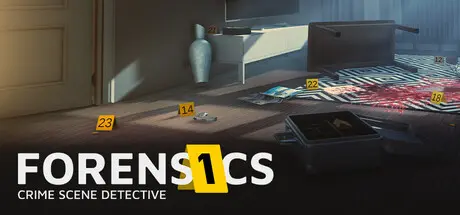
In Forensics: Crime Scene Detective, you are the scientific authority that provides investigators with the facts. Your work begins when the sirens fade and silence settles over the crime scene.

With a cool head and a trained eye, you enter apartments, bars, and basements where something unimaginable has happened โ€” or is said to have happened. Equipped with professional tools, you search for what others miss: a subtle fingerprint on a wine glass, a deleted message on a smartphone, a tiny blood spatter that casts doubt on a statement.

Securing evidence is only the beginning. In the lab, the evidence tells its story. You compare DNA profiles, reconstruct bullet trajectories, decrypt digital devices, and piece together fragments into a clear overall picture. Your analyses incriminate perpetrators โ€” or exonerate the innocent. Not every bloody crime scene is a murder. And not everything that seems obvious is the truth.

  • Realistic Forensics:
    Use authentic tools such as DNA swabs, fingerprint powder, ballistic trajectory rods, and digital forensic tools.

  • 14 authentic Cases, Real Methods:
    Missions are inspired by real scenarios and based on the experience and insights of real experts from the State Criminal Police Office Rhineland-Palatinate (LKA RLP).

  • Crime Scene Work & Laboratory Analysis:
    The gameplay loop challenges you twice โ€” first through meticulous crime scene investigation, then through logical data analysis in the lab.

  • Incriminate or Exonerate:
    Your work determines the fate of suspects. Discover whether it was self-defense, murder, an accident, or a staged crime scene.

  • Your Instinct Matters:
    You decide which traces are relevant. Overlooked evidence can leave a case unsolved.


Game Screenshots

screenshot screenshot screenshot screenshot


Game Trailer


System Requirements

Minimum Requirements

Recommended Requirements

OS

Windows 10

Windows 11

Processor

Intel Core i3-10100 / AMD Ryzen 3 3100

Intel Core i7-10700K / Ryzen 7 3700X

Memory

8 GB RAM

16 GB RAM

Graphics

Nvidia GTX 1050/ AMD Radeon RX 560 or Radeon RX 6400

RTX 2070 Super or RTX 3060TI / AMD Radeon RX 6700

DirectX

Version 12

Version 12

Storage

15 GB available space

15 GB available space


Installation Guide

  1. No Installation Needed: The game is pre-installed. Just download and extract.

  2. Extract: Right-click the .zip or .rar file and select "Extract Here" or "Extract to folder".

  3. Run: Find Forensics.exe inside the folder and run it.

Game Data & Settings

  • Change Language: Edit the file located at steam_settings/Configs.user.ini

  • Save Data Location: %USERPROFILE%/AppData/LocalLow/Binary Impact/Forensics/saves/

Important Notes

๐Ÿ”ฅDOWNLOAD AREA๐Ÿ”ฅ

๐Ÿ”น4.61 GB๐Ÿ”น

Select the server you want to download with ZeiLink.

Download

  • Views 402
  • Created
  • Last Reply

Posted Images

Create an account or sign in to comment

Recently Browsing 0

  • No registered users viewing this page.

Account

Navigation

Search

Search

๐Ÿ”Ž Search Tip
For exact results, search using "game name" .
Without quotes, results may include unrelated titles.

Configure browser push notifications

Chrome (Android)
  1. Tap the lock icon next to the address bar.
  2. Tap Permissions โ†’ Notifications.
  3. Adjust your preference.
Chrome (Desktop)
  1. Click the padlock icon in the address bar.
  2. Select Site settings.
  3. Find Notifications and adjust your preference.
