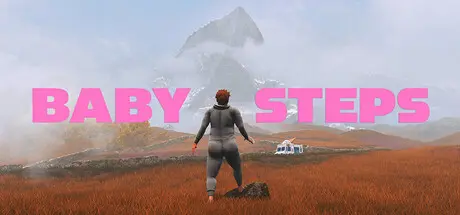
November 15, 2025Nov 15 Baby Steps Game DetailsRelease Name: Baby StepsGame Version: Build 20306104Release Date: 23 Sep, 2025Publisher: Devolver DigitalDeveloper: Gabe Cuzzillo, Maxi Boch, Bennett FoddyBased On: CSF & GoldbergBaby Steps Direct Download - Game OverviewPlay as Nate, an unemployed failson with nothing going for him, until one day he discovers a power he never knew he had… putting one foot in front of the other.Explore a world shrouded in mist, one step at a time. Hike the serene mountains by placing each footstep yourself, in original physics-based gameplay from the minds behind Ape Out and Getting Over It. Take in the sights, fall in love with the local fauna, and try to find meaning in a wasted life.Get ready to fall for Nate, in Baby Steps, a literal walking simulator.Baby Steps Screenshots Baby Steps TrailerBaby Steps System Requirements Minimum RequirementsRecommended Requirements OSWindows 10 x64 BitWindows 11 x64 Bit ProcessorIntel Core i7-7700K / AMD Ryzen 5 1500XIntel Core i7-10700 / AMD Ryzen 7 2700X Memory8 GB RAM16 GB RAM GraphicsGeForce GTX 1650 / Radeon RX 570 / Arc A380GeForce RTX 2060 Super / Radeon RX 5700 / Arc A580 DirectXVersion 11- Storage19 GB available space19 GB available space How to Install Baby StepsNo Installation Needed: The game is pre-installed. Just download and extract.Extract: Right-click the .zip or .rar file and select "Extract Here" or "Extract to folder".Run: Find BabySteps.exe inside the folder and run it.Game Data & SettingsChange Language: Edit the file located at steam_settings/Configs.user.iniSave Data Location: %USERPROFILE%/AppData/LocalLow/DefaultCompany/Babysteps/{64BitSteamID}/save/Important NotesTo support the Game Developer, Get It On Steam.🔥DOWNLOAD AREA🔥🔹12.67 GB🔹Select the server you want to download with ZeiLink.Download





Create an account or sign in to comment