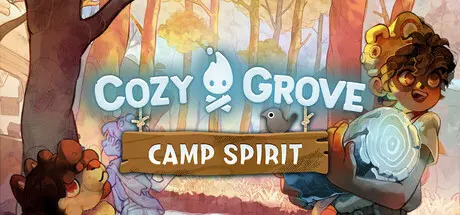
August 8Aug 8 Cozy Grove: Camp Spirit Game DetailsRelease Name: Cozy Grove: Camp SpiritGame Version: v3.2.6 | Build 24300031Release Date: 15 Jul, 2026Publisher: Spry FoxDeveloper: Spry FoxBased On: CSF & GoldbergCozy Grove: Camp Spirit Direct Download - Game OverviewAll those who are lost deserve kindness. Help cute, ghostly bears find peace in this relaxing sequel to the beloved life-sim game where kindness rules and new crafting, building, and camping island adventures await.Attention, Spirit Scouts! Something spooky is afoot: A bus crash has left you stranded alone on a mysterious (yet delightfully cute) island. Explore the unique island, meet and befriend cute, ghostly spirit bears who need your help to remember their pasts and find peace. Customize a bustling, beautiful campsite — crafting, decorating, and building furniture to bring life and color back to this cute island — and hopefully reunite with your lost scout troop as you gradually repair your bus.Whether you're new to the "Cozy Grove" community or a devoted fan, this relaxing follow-up to the beloved life-sim adventure offers something for everyone. This edition of "Cozy Grove" is cuter and cozier than ever, introducing a fresh cast of quirky characters, new animal companions, a new setting and added gameplay features that offer endless ways to unwind at the end of a stressful day. So immerse yourself in a unique, relaxing watercolor art style filled with stunning details and activities to explore. Drop in daily for crafting, decorating, fishing and cooking fun, or embark on new quests to stay busy. Lead with kindness and achieve your camping dreams — customize the cute, spooky island you've always wanted.Alongside familiar faces like Flamey and Mr. Kit, new spirit bears are waiting to bond with you and share their backstories. New animal companions are also on the island to offer support and relaxing comfort — now you can pet a dog (!) or have a snail help lighten your load.A new asynchronous multiplayer mode lets you see spooky, cute astral projections of other players, connect with fellow Spirit Scouts and send and receive cute gifts through the mail. But introverts, no need to worry: There's no pressure to interact with your fellow players in real time — you're free to discover and gift in your own time, at your own relaxing pace.Uncover the secrets of the interconnected islands you've landed on as you complete daily quests. As you progress with patience and diligence, you may unlock new areas to explore. Visit dedicated stations for different activities and light up lamps to find bountiful new spots for foraging and mining.Just because you're living on a haunted island doesn't mean you can't get comfortable! Immerse yourself in crafting and decorating activities, or collect furniture to make the island your own. Plant flowers and fruit trees to harvest, raise ghostly animals and attract pets to your house. And if things start to feel ho-hum, give yourself a custom head-to-toe makeover.This life-sim game unfolds in sync with real-world time, bringing cute surprises and spooky seasons on the island. If you finish the day's quests, you can cook, craft, collect shells, catch bugs, go fishing, skip rocks or even spruce things up with a new power-washing tool. Rake in rewards as you add to your collection of cute items and earn merit badges for all your accomplishments. A Spirit Scout's work is never done!Cozy Grove: Camp Spirit Screenshots Cozy Grove: Camp Spirit TrailerCozy Grove: Camp Spirit System Requirements Minimum RequirementsRecommended Requirements OSWindows 10Windows 10 ProcessorIntel Core i5 2.5 GHz or equivalentIntel Core i7 3.0 GHz or equivalent Memory4 GB RAM8 GB RAM GraphicsIntel HD Graphics 4000NVIDIA Geforce 10 Series or AMD Radeon RX 500 Series DirectX-- Storage3 GB available space5 GB available space How to Install Cozy Grove: Camp SpiritNo Installation Needed: The game is pre-installed. Just download and extract.Extract: Right-click the .zip or .rar file and select "Extract Here" or "Extract to folder".Run: Find CozyGrove_CampSpirit.exe inside the folder and run it.Game Data & SettingsChange Language: Edit the file located at steam_settings/Configs.user.iniSave Data Location: %USERPROFILE%/AppData/LocalLow/Spry Fox/Cozy Grove_ Camp Spirit/SpryFoxSteam/localImportant NotesTo support the Game Developer, Get It On Steam.🔥DOWNLOAD AREA🔥🔹402 MB🔹Select the server you want to download with ZeiLink.Download
August 9Aug 9 you guys are the best! can't wait until I am in a better spot financially to return some of the love y'all give us <3





Create an account or sign in to comment