



Skip to content
View in the app

A better way to browse. Learn more.

ZeiGames

A full-screen app on your home screen with push notifications, badges and more.

To install this app on iOS and iPadOS
  1. Tap the Share icon in Safari
  2. Scroll the menu and tap Add to Home Screen.
  3. Tap Add in the top-right corner.
To install this app on Android
  1. Tap the 3-dot menu (โ‹ฎ) in the top-right corner of the browser.
  2. Tap Add to Home screen or Install app.
  3. Confirm by tapping Install.

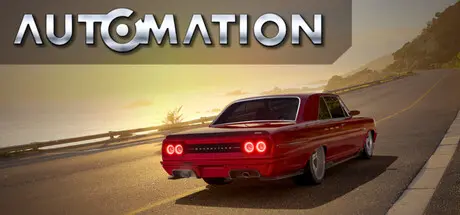
Automation - The Car Company Tycoon Game Free Download (v251219 + ALL DLC)
Featured Replies

header.webp

Game Details

Release Name:ย Automation - The Car Company Tycoon Game

Game Version:ย v251219 | Build 21248907

Release Date: 12 Mar, 2015

Publisher: Camshaft Software Ltd

Developer: Camshaft Software Ltd

Based On:ย CSF & Goldberg

Automation - The Car Company Tycoon Game Direct Download - Game Review

Design the cars of your dreams, and build an automotive business empire with them! Choose to make cars that evoke excitement and set the imagination alight, or cars that are the literal wheels the worldโ€™s economy rolls upon; with Automation, the possibilities are limited only by your imagination!

Automation is an automotive design simulator, featuring vehicles and technologies from 1946 to 2020. Use Automationโ€™s unparalleled engine and car design tools to create your perfect car, then build and market them to a car-hungry public in the Campaign Mode! Export your creations to BeamNG.drive (sold separately) with the one-click export tool and share them with others, or experience them for yourself on the road and on track!

In Automation, players use the comprehensive engine and car design tools to turn their ideas into reality; shape, cut, re-shape and adorn thousands of car bodies with a wide variety of lights, mouldings and other parts to achieve the style you want. Design the perfect engine to go in your car; whether it is a large, powerful V12 or a small, efficient inline-3, nearly all common engine layouts are possible!

Automationโ€™s Campaign Mode starts in 1946, where players test their design skills in a deep simulation of the automotive industry. Build factories and equip them with the facilities and equipment they need, and research cutting-edge technologies to turn your fledgling company into a titan of the industry, by catering to the needs and desires of dynamically-simulated market demographics.

Export your creations to BeamNG.drive (sold separately) with Automationโ€™s easy-to-use car exporter to drive, race and crash them yourself!

Compare your lap times against Automation's AI and your friends in BeamNG.drive with the co-developed Automation Test Track featured in both games, and share your creations in the BeamNG.drive Mod Repository.


Game Screenshots

screenshot screenshot screenshot screenshot


Game Trailer


System Requirements

Minimum Requirements

Recommended Requirements

OS

Windows 7, 8, 10 - 64 bit

Windows 10 64 Bit

Processor

Dual Core

Recent Intel i5/i7 or AMD 6 core or better

Memory

8 GB RAM

16 GB RAM

Graphics

Support Shader Model 5.0 (Intel HD4000 Integrated, Geforce 400 Series, Radeon HD2000 Series)

AMD 290x or nVidia 970GTX or Better

DirectX

Version 11

Version 12

Storage

30 GB available space

30 GB available space


Installation Guide

  1. No Installation Needed: The game is pre-installed. Just download and extract.

  2. Extract: Right-click the .zip or .rar file and select "Extract Here" or "Extract to folder".

  3. Run: Find UE427/AutomationGame/Binaries/Win64/AutomationGame-Win64-Shipping.exe inside the folder and run it.

Game Data & Settings

  • Change Language: Edit the file located at steam_settings/Configs.user.ini

  • Save Data Location: %USERPROFILE%/AppData/Local/AutomationGame

Important Notes

DLC List

Added DLCs

Automation - OST (Supporter Pack - Official Sound Track)

V16 Engines (Supporter Pack - V16 Engines)

๐Ÿ”ฅDOWNLOAD AREA๐Ÿ”ฅ

๐Ÿ”น21.38 GB๐Ÿ”น

Select the server you want to download with ZeiLink.

Download

  • Replies 3
  • Views 4.5k
  • Created
  • Last Reply

Top Posters In This Topic

Posted Images

  • 2 weeks later...

Hello, The V16 DLC isn't being shown in the game otherwise everything in the game works. Do I have to enable it from somewhere?

Edited by Perfectioner

  • 7 months later...

Create an account or sign in to comment

Recently Browsing 0

  • No registered users viewing this page.

Account

Navigation

Search

Search

๐Ÿ”Ž Search Tip
For exact results, search using "game name" .
Without quotes, results may include unrelated titles.

Configure browser push notifications

Chrome (Android)
  1. Tap the lock icon next to the address bar.
  2. Tap Permissions โ†’ Notifications.
  3. Adjust your preference.
Chrome (Desktop)
  1. Click the padlock icon in the address bar.
  2. Select Site settings.
  3. Find Notifications and adjust your preference.
