



Skip to content
View in the app

A better way to browse. Learn more.

ZeiGames

A full-screen app on your home screen with push notifications, badges and more.

To install this app on iOS and iPadOS
  1. Tap the Share icon in Safari
  2. Scroll the menu and tap Add to Home Screen.
  3. Tap Add in the top-right corner.
To install this app on Android
  1. Tap the 3-dot menu (โ‹ฎ) in the top-right corner of the browser.
  2. Tap Add to Home screen or Install app.
  3. Confirm by tapping Install.

Boeckham's Football Manager Free Download (v1.14.1)
Featured Replies

header.webp

Game Details

Release Name:ย Boeckham's Football Manager

Game Version:ย v1.14.1 | Build 23028221

Release Date: 28 Mar, 2025

Publisher: Bitbeast Games

Developer: Bitbeast Games

Based On:ย CSF & Goldberg

Boeckham's Football Manager Direct Download - Game Review

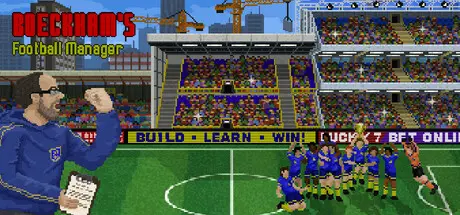
Boeckham's Football Manager is an old-school management game in which you are in charge of a soccer team. To be successful, you need to manage your players, buy some cheap and sell some with profit, and care for them when they get into trouble. Build your stadium and expand the facilities. Negotiate with sponsors to finance all of the above.

But your team is not the most important part of the game: you are! Strive for a stellar career, gain more knowledge through education and experience, and make a name for yourself. Start as a nobody in a small local club and lead it to the top. Or why not use your fame - as long as you have it - to get hired by more renowned clubs? Or even get nominated as the coach for the national team? What will you do to achieve what no other coach has achieved before?

The game is designed in the spirit of the management games of the 90s like "The Manager" or "On The Ball". The main goal is to reduce the overburdening complexity of modern football management games. There is nothing wrong with those games, but if you want to finish a whole season or two in one evening instead of just playing one or two match days, this game is maybe for you. There is no claim to accuracy, instead, fun and simplicityย are more important design goals.

If you are unsure if the reduced complexity, style, and gameplay are for you, please try the demo first!

The development is continuing after the release, and the game will expand a little further. You need to be aware that due to the nature of such a complex genre, you may encounter bugs and balancing issues. But I would love to hear about them and fix everything you like to share - you will play a very important part in the development process.

Hopefully, this simplified yet not casual approach will provide a fun experience for you. If not, let's talk about improvements and I will see what I can do. :)

Trigger warning: The game contains topics of death and suicide.


Game Screenshots

screenshot screenshot screenshot screenshot


Game Trailer


System Requirements

Minimum Requirements

Recommended Requirements

OS

Windows 10

-

Processor

Intel Core Duo E6600 @ 2.4GHz

-

Memory

8 GB RAM

-

Graphics

Integrated graphics

-

DirectX

-

-

Storage

175 MB available space

-


Installation Guide

  1. No Installation Needed: The game is pre-installed. Just download and extract.

  2. Extract: Right-click the .zip or .rar file and select "Extract Here" or "Extract to folder".

  3. Run: Find FootballManager.exe inside the folder and run it.

Game Data & Settings

  • Change Language: Edit the file located at steam_settings/Configs.user.ini

  • Save Data Location: %USERPROFILE%/AppData/LocalLow/Bitbeast Games/Footballmanager

Important Notes

๐Ÿ”ฅDOWNLOAD AREA๐Ÿ”ฅ

๐Ÿ”น55 MB๐Ÿ”น

Select the server you want to download with ZeiLink.

Download

  • DicDale changed the title to Boeckham's Football Manager Free Download (v1.14.1)

  • Views 787
  • Created
  • Last Reply

Posted Images

Create an account or sign in to comment

Recently Browsing 0

  • No registered users viewing this page.

Account

Navigation

Search

Search

๐Ÿ”Ž Search Tip
For exact results, search using "game name" .
Without quotes, results may include unrelated titles.

Configure browser push notifications

Chrome (Android)
  1. Tap the lock icon next to the address bar.
  2. Tap Permissions โ†’ Notifications.
  3. Adjust your preference.
Chrome (Desktop)
  1. Click the padlock icon in the address bar.
  2. Select Site settings.
  3. Find Notifications and adjust your preference.