



Skip to content
View in the app

A better way to browse. Learn more.

ZeiGames

A full-screen app on your home screen with push notifications, badges and more.

To install this app on iOS and iPadOS
  1. Tap the Share icon in Safari
  2. Scroll the menu and tap Add to Home Screen.
  3. Tap Add in the top-right corner.
To install this app on Android
  1. Tap the 3-dot menu (โ‹ฎ) in the top-right corner of the browser.
  2. Tap Add to Home screen or Install app.
  3. Confirm by tapping Install.

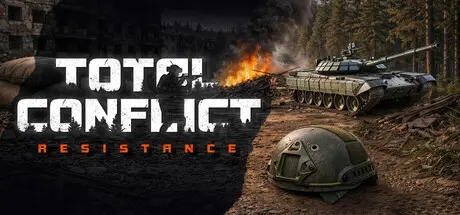
Total Conflict: Resistance Free Download (Build 22797020 + ALL DLC)
Featured Replies

header.webp

Game Details

Release Name:ย Total Conflict: Resistance

Game Version:ย Build 22797020

Release Date: 21 Apr, 2023

Publisher: Thunder Devs.

Developer: Thunder Devs.

Based On:ย CSF & Goldberg

Total Conflict: Resistance Direct Download - Game Review


Take part in events: command of units, create a full-fledged army, produce or purchase armored vehicles and weapons, build fortifications, outposts and settlements, manage combat operations from the 1st person or in tactical mode. Control different cars, armored personnel carriers, helicopters, tanks and self-propelled guns. Lead large-scale battles (up to 200 people at the same time) on tactical maps using a large selection of weapons. Create your own state, or join existing factions. Use diplomacy: make alliances, declare wars. Capture provinces. Make Cambridia great again!

Manage your squads in first-person mode with a large number of team functions. Orders at different levels: you can give an order to one fighter, squad, entire unit.

Give orders to your squads on the battlefield from a bird's eye view. Units have many options, shooting and movement mode, weapon use mode, etc.

Detailed map of the island, divided into provinces, as a separate game mode. Foreign and domestic policy, economy, industry, diplomacy. Political events, on the decision of which the future fate of the state depends. Various decrees and studies. Several nations and religions. Political factions of the left and right, democracy and republic, monarchy.

A complex system of hit zones for infantry and vehicles. Ballistics, penetration, muzzle velocity for a bullet/projectile. Realistic graphics, sounds, physics, animations and effects.

About fifty types of various rifles, pistols, machine guns, rocket launchers. Modification of weapons for your troops in a special editor of small arms. Stocks, grips, magazines, sights, silencers, muzzle brakes and recoil compensators.


Game Screenshots

screenshot screenshot screenshot screenshot


Game Trailer


System Requirements

Minimum Requirements

Recommended Requirements

OS

Windows 7/8/10 64-bit

Windows 7/8/10 64-bit

Processor

Intel or AMD processor, 3.0 GHz or faster

Quad-core Intel or AMD processor, 3.5 GHz or faster

Memory

8 GB RAM

16 GB RAM

Graphics

NVIDIA GeForce GTX 1050Ti or AMD Radeon RX 570 series card or higher

NVIDIA GeForce RTX 2060 or AMD Radeon RX 5600XT series card or higher

DirectX

Version 11

Version 11

Storage

30000 MB available space

30000 MB available space


Installation Guide

  1. No Installation Needed: The game is pre-installed. Just download and extract.

  2. Extract: Right-click the .zip or .rar file and select "Extract Here" or "Extract to folder".

  3. Run: Find TotalConflictResistance.exe inside the folder and run it.

Game Data & Settings

  • Change Language: Edit the file located at steam_settings/Configs.user.ini

  • Save Data Location: %USERPROFILE%/AppData/Local/TotalConflictResistance/Saved/SaveGames/

Important Notes

DLC List

Added DLCs

Western Marine Corps (Total Conflict: Resistance - Western Marine Corps)

Eastern Airborne Forces (Total Conflict: Resistance - Eastern Airborne Forces)

๐Ÿ”ฅDOWNLOAD AREA๐Ÿ”ฅ

๐Ÿ”น31.42 GB๐Ÿ”น

Select the server you want to download with ZeiLink.

Download

  • DicDale changed the title to Total Conflict: Resistance Free Download (Build 22797020 + ALL DLC)

  • Views 3.9k
  • Created
  • Last Reply

Posted Images

Create an account or sign in to comment

Recently Browsing 0

  • No registered users viewing this page.

Account

Navigation

Search

Search

๐Ÿ”Ž Search Tip
For exact results, search using "game name" .
Without quotes, results may include unrelated titles.

Configure browser push notifications

Chrome (Android)
  1. Tap the lock icon next to the address bar.
  2. Tap Permissions โ†’ Notifications.
  3. Adjust your preference.
Chrome (Desktop)
  1. Click the padlock icon in the address bar.
  2. Select Site settings.
  3. Find Notifications and adjust your preference.