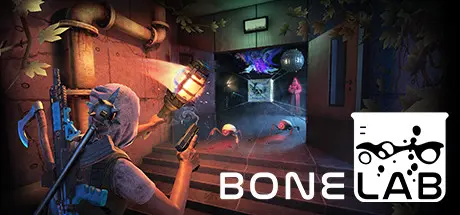
October 17, 2025Oct 17 BONELAB Game DetailsRelease Name: BONELABGame Version: Build 16240753Release Date: 29 Sep, 2022Publisher: Stress Level ZeroDeveloper: Stress Level ZeroBased On: CSF & GoldbergBONELAB Direct Download - Game OverviewBONELABSentenced to death, you embody an outcast escaping fate. Discover a pathway to a hidden underground research facility. A series of challenging experiments and discoveries await. A road to the truth calls from the void.Physics to the core Boneworks' realistic physics systems fully improved and polished. Interact with the game world with consistent confidence.Visceral VR combat Using a variety of ranged, melee, and exotic physics weapons, engage enemy encounters with an entire armory at your disposal.Be anyone you want Custom avatar importing enables you to play through the game looking however you want, with physical stats to match.Layered Narrative After discovering an underground lab in MythOS city, you will have access to a variety of game locations including arenas, obstacle courses, tactical trials, sandboxes, experimental modes, and user generated levels. Collecting items, avatars, and clues from these locations enable you to progress through the mysterious story.BONELAB Screenshots BONELAB TrailerBONELAB System Requirements Minimum RequirementsRecommended Requirements OSWindows 10Windows 10 ProcessorIntel i5 7600 3.5ghz+Intel i7 9700k or greater, 3.6 ghz+ Memory8 GB RAM16 GB RAM GraphicsGTX 1070 / 1660TI (6GB VRAM)We recommend a 2070/2060super/1080ti or greater so you can have headroom to play with. Any GPU that ran Boneworks well should be great. DirectXVersion 11Version 11 Storage20 GB available space20 GB available space How to Install BONELABNo Installation Needed: The game is pre-installed. Just download and extract.Extract: Right-click the .zip or .rar file and select "Extract Here" or "Extract to folder".Run: Find BONELAB_Steam_Windows64.exe inside the folder and run it.Game Data & SettingsChange Language: Edit the file located at steam_settings/Configs.user.iniSave Data Location: %USERPROFILE%/AppData/LocalLow/Stress Level Zero/BONELAB/SavesImportant NotesTo support the Game Developer, Get It On Steam.🔥DOWNLOAD AREA🔥🔹9.90 GB🔹Select the server you want to download with ZeiLink.Download





Create an account or sign in to comment