



Skip to content
View in the app

A better way to browse. Learn more.

ZeiGames

A full-screen app on your home screen with push notifications, badges and more.

To install this app on iOS and iPadOS
  1. Tap the Share icon in Safari
  2. Scroll the menu and tap Add to Home Screen.
  3. Tap Add in the top-right corner.
To install this app on Android
  1. Tap the 3-dot menu (โ‹ฎ) in the top-right corner of the browser.
  2. Tap Add to Home screen or Install app.
  3. Confirm by tapping Install.

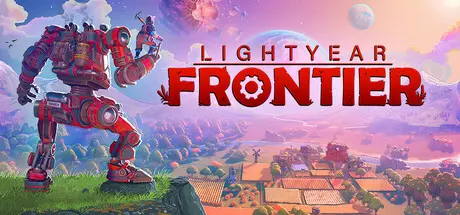
Lightyear Frontier Free Download (v0.8.2176 + Online)
Featured Replies

header.webp

Game Details

Release Name:ย Lightyear Frontier

Game Version:ย v0.8.2176 | Build 22795749

Release Date:ย 19 Mar, 2024

Publisher:ย FRAME BREAK, Coffee Stain Publishing

Developer:ย FRAME BREAK

Based On:ย CSF & RUNE

Lightyear Frontier Direct Download - Game Review

Settle your interstellar homestead in this open-world mech farming adventure!

Build your farm, customize your mech, grow alien crops, and explore a vast new world full of promise with up to three friends!

Farm, build, and explore in a customizable mech! Craft new parts and mod chips to tweak your mech's performance to your specifications. Choose from an array of options to build your trusty all-purpose vehicle.

Settle on a verdant exoplanet in the Lightyear Frontier, a cluster of habitable worlds in the far reaches of the galaxy. Overcome its environmental challenges in order to thrive on your new home.

Take farming to a new level with the power of the mech. Use its mighty tools to plant, water, and harvest vast fields of alien crops with ease. Mastering crop rotation is key to optimize your yield!

Create the exofarm of your dreams! Make your mark on the world as you build your homestead piece by piece into a handcrafted retro-futuristic farm. Make your place your own with alternative color palettes and decorations.

Send resources to remote colonies, befriend interplanetary neighbors, and build a stable of alien livestock. Use the bounty of your harvest to benefit those around you and create a better tomorrow.

While your mech can handle anything the world throws at you, feel free to invite up to three friends to join you on this journey of settling and exploration! Pool your resources to create the perfect homestead, and share the rewarding feeling of a good harvest with your pals!


Game Screenshots

screenshotย screenshotย screenshotย screenshot


Game Trailer


System Requirements

Minimum Requirements

Recommended Requirements

OS

Windows 10

Windows 10

Processor

Intel Core i3-4170 / AMD Ryzen 5 1500X

Intel Core i7-4790K / AMD Ryzen 5 3600

Memory

12 GB RAM

16 GB RAM

Graphics

NVIDIA Geforce GTX 1050 / AMD Radeon RX 460

AMD Radeon RX 6600 / NVIDIA Geforce GTX 1660 Ti

DirectX

-

-

Storage

10 GB available space

10 GB available space


Installation Guide

  1. No Installation Needed: The game is pre-installed. Just download and extract.

  2. Extract: Right-click theย .zipย orย .rarย file and select "Extract Here" or "Extract to folder".

  3. Run: Findย LightyearFrontier.exeย inside the folder and run it.

Multiplayer & Online (Optional)

  • Play Online: Download theย Online Fixย file and apply it to the game folder.

  • Please go to the online fix page and read the guide.

Game Data & Settings

  • Change Language: Edit the file located atย steam_settings/Configs.user.ini

  • Save Data Location:ย %USERPROFILE%/AppData/Local/FarMech/Saved/SaveGames

Important Notes

๐Ÿ”ฅDOWNLOAD AREA๐Ÿ”ฅ

๐Ÿ”น3.69 GB๐Ÿ”น

Select the server you want to download with ZeiLink.

Download

Online Fix - (RAR pass: rexagames.com)

  • Views 16
  • Created
  • Last Reply

Posted Images

Create an account or sign in to comment

Recently Browsing 0

  • No registered users viewing this page.

Account

Navigation

Search

Search

๐Ÿ”Ž Search Tip
For exact results, search using "game name" .
Without quotes, results may include unrelated titles.

Configure browser push notifications

Chrome (Android)
  1. Tap the lock icon next to the address bar.
  2. Tap Permissions โ†’ Notifications.
  3. Adjust your preference.
Chrome (Desktop)
  1. Click the padlock icon in the address bar.
  2. Select Site settings.
  3. Find Notifications and adjust your preference.
