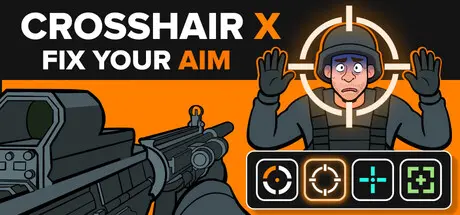
August 19, 20251 yr Crosshair X Game DetailsRelease Name: Crosshair XGame Version: Build 24266403Release Date: 17 Aug, 2020Publisher: CenterPoint GamingDeveloper: CenterPoint GamingBased On: CSF & RUNECrosshair X Direct Download - Game OverviewCrosshair X overlays your own custom crosshair on top of any game you play, even games that do not include one. Improve your aim and accuracy in first-person shooters, third-person shooters, battle royales, survival games, and anything else you play on PC.Rated Very Positive with over 41,000 reviews on Steam, Crosshair X is the most popular crosshair overlay on PC.Thousands of community designs. Browse and download crosshairs shared by the Crosshair X community, with new designs added every day.Precision designer. Build your own crosshair from scratch with controls for lines, dot, outline, color, opacity, and animations. Upload any image to use as your crosshair.Works in every game. Compatible with first-person shooters, third-person games, survival titles, and single-player adventures.Exclusive fullscreen support. Show your crosshair even in games that block third-party overlays, through the official Xbox Game Bar.Steam Workshop. Subscribe to crosshairs from the Steam Workshop and publish your own designs.Multi-monitor support. Choose which monitor to display the crosshair on, and save the crosshair position for each game.Save and switch. Save unlimited crosshairs and switch between them in seconds.Smart toggle. Show or hide your crosshair with a custom keyboard shortcut, or hide it automatically when you right-click to aim down sights.Share with friends. Share any crosshair with a single code, or export it as an image file.Available in 17 languages. English, Spanish, French, German, Italian, Portuguese, Russian, Japanese, Korean, Chinese, Turkish, Polish, Swedish, Czech, Danish, and Ukrainian.Crosshair X Screenshots Crosshair X System Requirements Minimum RequirementsRecommended Requirements OSWindows 10Windows 11 Processor-- Memory-- Graphics-- DirectX-- Storage-- How to Install Crosshair XNo Installation Needed: The game is pre-installed. Just download and extract.Extract: Right-click the .zip or .rar file and select "Extract Here" or "Extract to folder".Run: Find Crosshair X.exe inside the folder and run it.Game Data & SettingsChange Language: Edit the file located at steam_emu.iniSave Data Location: %USERPROFILE%/AppData/Roaming/CrosshairXImportant NotesTo support the Game Developer, Get It On Steam.🔥DOWNLOAD AREA🔥🔹185 MB🔹Select the server you want to download with ZeiLink.Download





Create an account or sign in to comment