



Skip to content
View in the app

A better way to browse. Learn more.

ZeiGames

A full-screen app on your home screen with push notifications, badges and more.

To install this app on iOS and iPadOS
  1. Tap the Share icon in Safari
  2. Scroll the menu and tap Add to Home Screen.
  3. Tap Add in the top-right corner.
To install this app on Android
  1. Tap the 3-dot menu (โ‹ฎ) in the top-right corner of the browser.
  2. Tap Add to Home screen or Install app.
  3. Confirm by tapping Install.

Tower!3D Pro Free Download (v1.5.356.996 + ALL DLC)
Featured Replies

header.webp

Game Details

Release Name:ย Tower!3D Pro

Game Version:ย v1.5.356.996 | Build 7927862

Release Date: 8 Mar, 2017

Publisher: FeelThere

Developer: FeelThere

Based On:ย CSF & Goldberg

Tower!3D Pro Direct Download - Game Review

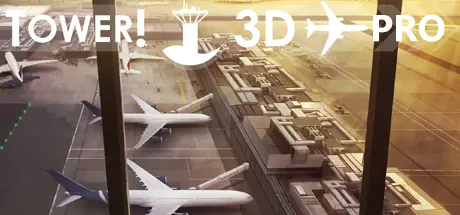
Tower!3D Pro is a successor of the best selling Tower! 2011 airport tower simulator.


Your assignment is to guide aircraft of various sizes and capabilities to and from the active runway for landing and takeoff. As a tower controller you must assure that it safe for a plane to enter or cross a runway, assign taxiway routes, when to stop and start movement, and clear aircraft for take off.
Tower!3d Pro provides you with flight strips, ground and air radar screens and a full 3D view of each airport.

Tower!3D Pro is no arcade game. With a complex command structure, advanced AI and Speech Recognition technology Tower!3D Pro will allow you to experience of the thrill of being a real air traffic controller.


Game Screenshots

screenshot screenshot screenshot screenshot


Game Trailer


System Requirements

Minimum Requirements

Recommended Requirements

OS

64 bit Windows 7 Pro / 8 / 10

64 bit Windows 7 Pro / 8 / 10

Processor

1.2 GHz

1.8 GHz

Memory

4 GB RAM

8 GB RAM

Graphics

1GB dedicated video card

2GB dedicated video card

DirectX

Version 10

-

Storage

700 MB available space

1 GB available space


Installation Guide

  1. No Installation Needed: The game is pre-installed. Just download and extract.

  2. Extract: Right-click the .zip or .rar file and select "Extract Here" or "Extract to folder".

  3. Run: Find Launcherx64.exe inside the folder and run it.

Game Data & Settings

  • Change Language: Edit the file located at steam_settings/Configs.user.ini

Important Notes

DLC List

Added DLCs

Tower!3D Pro - WSSS airport

Tower!3D Pro - LTFM airport

Tower!3D Pro - ZBAD airport

Tower!3D Pro - EGLL airport

Tower!3D Pro - KIAD airport

Tower!3d Pro - KEWR airport

Tower!3D Pro - FAOR airport

Tower!3D Pro - KSEA airport

Tower!3D Pro - EKCH airport

Tower!3D Pro - RJTT airport

Tower!3D Pro - EDDF airport

Tower!3D Pro - KDFW airport

Tower!3D Pro - KRDU airport

Tower!3d Pro - OMDB airport

Tower!3D Pro - LFPG airport

Tower!3D Pro - YMML airport

Tower!3D Pro - CYVR airport

Tower!3D Pro - EGKK airport

Tower!3D Pro - LEBL airport

Tower!3D Pro - EDDS airport

Tower!3D Pro - KMEM airport

Tower!3D Pro - EDDM airport

Tower!3D Pro - KMCO airport

Tower!3D Pro - KSFO airport (San Francisco [KSFO] airport for Tower!3D Pro)

Tower!3D Pro - KPHX airport

Tower!3D Pro - KLGA airport (LaGuardia [KLGA] airport for Tower!3D Pro)

Tower!3D Pro - KBOS airport (Boston Logan [KBOS] airport for Tower!3D Pro)

Tower!3D Pro - KLAS airport (Las Vegas International [KLAS] airport for Tower!3D Pro)

Tower!3D Pro - PHNL airport

Tower!3D Pro - KATL airport (Hartsfieldโ€“Jackson Atlanta [KATL] airport for Tower!3D Pro)

Tower!3D Pro - KSAN airport (San Diego International [KSAN] airport for Tower!3D Pro)

Tower!3D Pro - KJFK airport (New York Kennedy [KJFK] airport for Tower!3D Pro)

๐Ÿ”ฅDOWNLOAD AREA๐Ÿ”ฅ

๐Ÿ”น1.87 GB๐Ÿ”น

Select the server you want to download with ZeiLink.

Download

  • Views 1.5k
  • Created
  • Last Reply

Posted Images

Create an account or sign in to comment

Recently Browsing 0

  • No registered users viewing this page.

Account

Navigation

Search

Search

๐Ÿ”Ž Search Tip
For exact results, search using "game name" .
Without quotes, results may include unrelated titles.

Configure browser push notifications

Chrome (Android)
  1. Tap the lock icon next to the address bar.
  2. Tap Permissions โ†’ Notifications.
  3. Adjust your preference.
Chrome (Desktop)
  1. Click the padlock icon in the address bar.
  2. Select Site settings.
  3. Find Notifications and adjust your preference.
