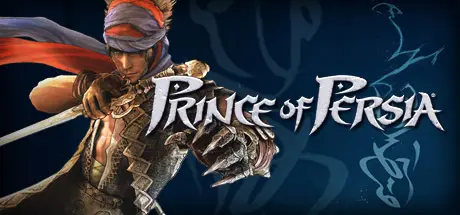
July 29Jul 29 Prince of Persia Game DetailsRelease Name: Prince of Persia®Game Version: v1.0Release Date: 10 Dec, 2008Publisher: UbisoftDeveloper: Ubisoft MontrealBased On: GOGPrince of Persia® Direct Download - Game Review The critically acclaimed Prince of Persia® franchise returns for the first time on next-generation platforms with an all-new epic journey. Built by the same award-winning Ubisoft Montreal studio that created Assassin's Creed™, Prince of Persia has been in development for over three years to deliver a whole new action-adventure gaming experience to consumers. With a whole new Prince, storyline, open world environments, combat style, signature illustrative graphical style and the addition of Elika, a deadly new ally, Prince of Persia brings the franchise to new heights of deadly acrobatic artistry and is set to become the #1 action-adventure game of 2008 this holiday season. A new hero emerges: Master the acrobatics, strategy and fighting tactics of the most agile warrior of all time. Grip fall down the face of a building, perform perfectly timed acrobatic combinations, and swing over canyons, buildings and anything that is reachable. This new rogue warrior must utilize all of his new skills, along with a whole new combat system, to battle Ahriman's corrupted lieutenants to heal the land from the dark Corruption and restore the light. A new epic journey begins: Escape to experience the new fantasy world of ancient Persia. Masterful storytelling and sprawling environments will deliver to action-adventure fans an experience that rivals even the best Hollywood movies. A new open world structure: A first for the Prince of Persia franchise now you have the freedom to determine how the game evolves in this non-linear adventure. Players will decide how they unfold the storyline by choosing their path in the open-ended world. Emergence of a deadly new ally: History's greatest ally is revealed in the form of Elika, a dynamic AI companion who joins the Prince in his fight to save the world. Gifted with magical powers, she interacts with the player in combat, acrobatics and puzzle-solving, enabling the Prince to reach new heights of deadly high-flying artistry through special duo acrobatic moves or devastating fighting combo attacks.Prince of Persia Screenshots Prince of Persia TrailerPrince of Persia System Requirements Minimum RequirementsRecommended Requirements OSWindows® XP/Windows Vista® (only)- ProcessorDual core processor 2.6 GHz Intel® Pentium® D or AMD Athlon™ 64 X2 3800+ (Intel Core® 2 Duo 2.2 GHz or AMD Athlon 64 X2 4400+ or better recommended)- Memory1 GB Windows XP/2 GB Windows Vista- Graphics256 MB DirectX® 10.0–compliant video card or DirectX 9.0–compliant card with Shader Model 3.0 or higher (see supported list)*- DirectXDirectX 9.0 or 10.0 libraries- Storage9 GB- How to Install Prince of PersiaNo Installation Needed: The game is pre-installed. Just download and extract.Extract: Right-click the .zip or .rar file and select "Extract Here" or "Extract to folder".Run: Find Prince of Persia.exe inside the folder and run it.Important NotesTo support the Game Developer, Get It On Steam.🔥DOWNLOAD AREA🔥🔹8.52 GB🔹Select the server you want to download with ZeiLink.Download





Create an account or sign in to comment