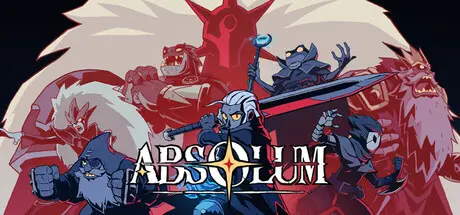
October 9, 2025Oct 9 Absolum Game DetailsRelease Name: AbsolumGame Version: v04r35080 | Build 22899204Release Date: 9 Oct, 2025Publisher: Dotemu, Gamirror GamesDeveloper: Dotemu, Guard Crush Games, SupamonksBased On: CSF & GoldbergAbsolum Direct Download - Game OverviewCrafted with passion by the dream team that redefined side-scrolling beat 'em ups, Absolum mixes top-of-the-class combat action with modern roguelite elements, bringing all the vibes of the fantasy arcade hits of the past into an immersive adventure set in the original world of Talamh.Talamh has been shattered by a magical cataclysm caused by ambitious wizards, leaving magic mistrusted by the common folk. Sun King Azra took advantage of this panic, enslaving wizards through his Crimson Order and placing loyal princes to rule over the conquered realms.As Azra’s forces claim more and more lands, the high enchantress Uchawi and a small group of rebels rise from the shadows, wielding forbidden magic to challenge his oppressive regime and defy his absolute magic power.Meet the outcast heroes of Talamh, each with their unique fighting style. From the shadows of Yeldrim, Galandra emerges as an unstoppable force of nature. Her colossal sword strikes with deadly precision, combined with chilling, destructive necromantic powers. Her calm demeanor is a thin veil, barely concealing the furious anger brewing inside her. Karl is the last free dwarf of Talamh. Armed with an ancestral blunderbuss and his bare fists, he’s a master of close-range brawls and explosive tactics. What he lacks in reach at mid-range, he makes up for with raw strength and quick thinking, making him a stalwart ally in the revolt against Azra's oppression. During their ordeals, two mysterious heroes will join them on a quest to overthrow the Sun King: Brome, a wizard prodigy on a mission to preserve the future generations of his people, and the enigmatic Cider, a nimble skirmisher in search of answers among the scattered fragments of their own soul.Absolum Screenshots Absolum TrailerAbsolum System Requirements Minimum RequirementsRecommended Requirements OSWindows 10Windows 11 ProcessorIntel Core i3-540 or AMD FX-4350Intel Core i5-2550K or AMD Ryzen 3 1200 Memory6 GB RAM8 GB RAM GraphicsNVIDIA GeForce GT 640, 4GB or AMD Radeon HD 5750, 1GBNVIDIA GeForce GTX 1060, 6GB or AMD Radeon RX 580, 8GB DirectX-- Storage5 GB available space5 GB available space How to Install AbsolumNo Installation Needed: The game is pre-installed. Just download and extract.Extract: Right-click the .zip or .rar file and select "Extract Here" or "Extract to folder".Run: Find x64.steam/Absolum.exe inside the folder and run it.Multiplayer & Online (Optional)Play Online: Download the Online Fix file and apply it to the game folder.Game Data & SettingsChange Language: Edit the file located at steam_settings/Configs.user.iniSave Data Location: %USERPROFILE%/AppData/Local/Absolum_SaveGame_SteamImportant NotesTo support the Game Developer, Get It On Steam.🔥DOWNLOAD AREA🔥🔹4.47 GB🔹Select the server you want to download with ZeiLink.DownloadOnline Fix - (RAR pass: zeigames.com)





Create an account or sign in to comment