



Skip to content
View in the app

A better way to browse. Learn more.

ZeiGames

A full-screen app on your home screen with push notifications, badges and more.

To install this app on iOS and iPadOS
  1. Tap the Share icon in Safari
  2. Scroll the menu and tap Add to Home Screen.
  3. Tap Add in the top-right corner.
To install this app on Android
  1. Tap the 3-dot menu (โ‹ฎ) in the top-right corner of the browser.
  2. Tap Add to Home screen or Install app.
  3. Confirm by tapping Install.

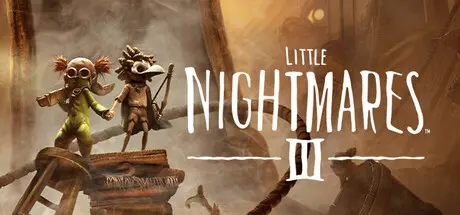
Little Nightmares III Free Download (Build 23932716 + ALL DLC + Online)
Featured Replies

  • Replies 15
  • Views 13.8k
  • Created
  • Last Reply

Top Posters In This Topic

Posted Images

how do i add the friends pass to the game i downloaded

On 10/10/2025 at 3:46 PM, DicDale said:

If you added friendpass to your library, you don't need to do fakeid=480.

hey how do i add friend pass i downloaded it from steam ofc and i downloaded game here and put the fix in the game i just need to know how do i put friends pass into the game

2 minutes ago, DicDale said:

Go to onlinefix page and read guide, all steps writed.

thx il go

  • 4 weeks later...
On 10/12/2025 at 4:11 PM, izuqxt said:

Steamworks fix was successfully activated, please restart the game The game doesn't open help pls

You can try to add friend pass to your Steam library and try again? Or you can open the onlinefix.ini file and change the fakeappid=480 that's what made it work in my case. You can find the onlinefix.ini on Little.Nightmares.III.RexaGames.com\Engine\Binaries\ThirdParty\Steamworks\Steamv157\Win64. In case you haven't found a solution yet.

  • 6 months later...

Hello my friend.

I tried to play Nightmares III - Secrets of The Spiral DLC but is asking to buy. Any fix to unlock the DLC ? I already put the online-fix in the folder.

Thanks.

  • DicDale changed the title to Little Nightmares III Free Download (Build 23932716 + ALL DLC + Online)

Create an account or sign in to comment

Recently Browsing 0

  • No registered users viewing this page.

Account

Navigation

Search

Search

๐Ÿ”Ž Search Tip
For exact results, search using "game name" .
Without quotes, results may include unrelated titles.

Configure browser push notifications

Chrome (Android)
  1. Tap the lock icon next to the address bar.
  2. Tap Permissions โ†’ Notifications.
  3. Adjust your preference.
Chrome (Desktop)
  1. Click the padlock icon in the address bar.
  2. Select Site settings.
  3. Find Notifications and adjust your preference.